
If you’re evaluating SMB Salesforce setup consulting cost, the goal is to budget accurately before you commit—so the project delivers measurable outcomes without unexpected change orders.
Salesforce implementation costs vary widely, not because the platform is unpredictable, but because scope is. User count, data migration quality, integrations, automation depth, training, and post–go-live support can move the number dramatically.
This guide breaks the cost into practical ranges and a phase-by-phase model you can use to estimate your own project, compare proposals objectively, and reduce the most common sources of scope creep.
And you want to know what actually drives the cost:
Is it users?
Integrations?
Data migration?
Customization?
Training?
Post–go-live support?
This guide breaks it down in plain English (Backlinko style): real ranges, what’s included, what’s usually extra, and how SMBs keep budgets under control.
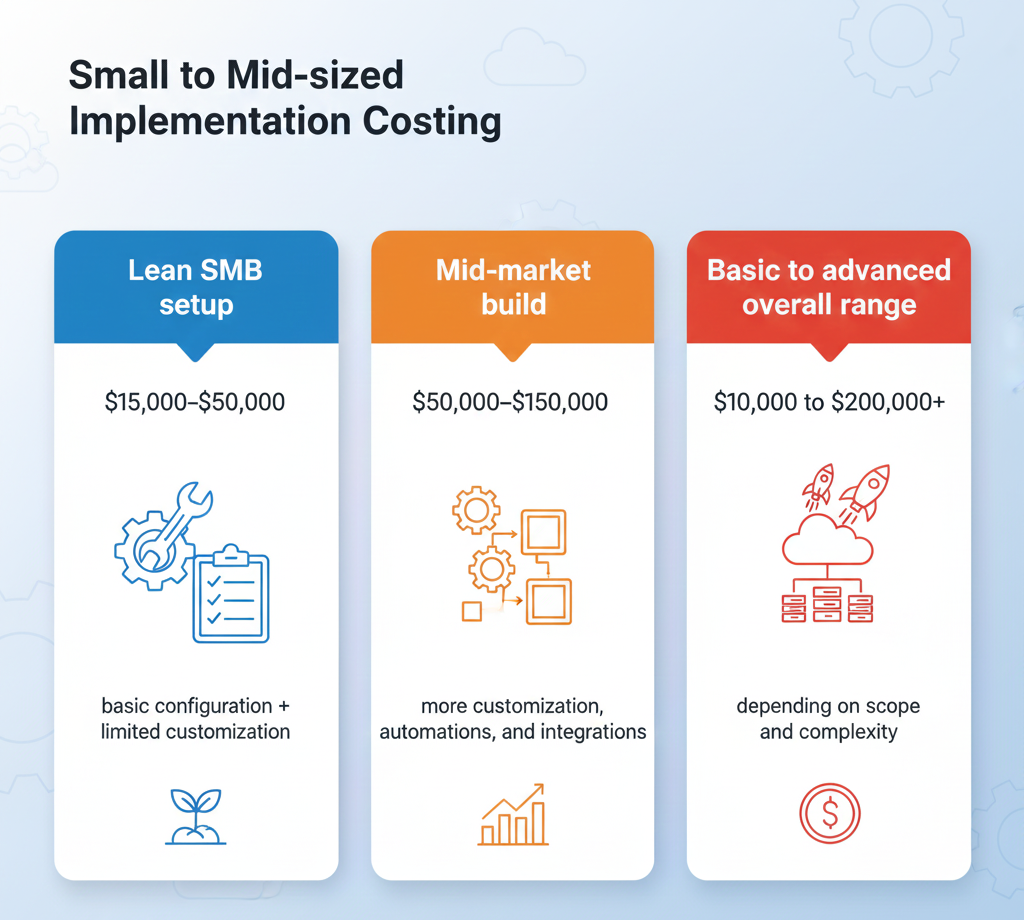
Here are realistic 2025 ranges for small to mid-sized implementations:
Lean SMB setup: $15,000–$50,000 (basic configuration + limited customization)
Mid-market build: $50,000–$150,000 (more customization, automations, and integrations)
Basic to advanced overall range: $10,000 to $200,000+ depending on scope and complexity
That’s the consulting/implementation side. Licenses are separate (monthly per user, based on plan).
Think of Salesforce consulting cost like this:
Total cost = setup + data + integrations + automation + training + support
Most SMB budgets blow up in two places:
data migration (messy data takes time)
integrations (each system adds requirements, testing, edge cases)
If you keep those controlled, Salesforce stays affordable.
Best when you’re moving off spreadsheets or a simple CRM.
Typical cost: $15k–$40k for SMBs when kept lean (basic modules, limited custom code).
Usually includes:
Core Sales Cloud setup (pipeline, fields, permissions)
Basic reports/dashboards
Simple import of contacts/accounts
Typical cost: $15k–$50k for small business implementations (basic configuration, data migration, training, and go-live support).
Usually includes:
Requirements + solution design
Data cleanup guidance + migration
Role-based training sessions
30–60 days post-launch support
Typical cost: $50k–$150k for mid-sized businesses with moderate customization and integrations.
Usually includes:
Multiple departments and workflows
More automation (routing, approvals)
1–3 integrations (email, accounting, marketing, telephony, etc.)
Stronger governance + documentation
A useful way to estimate is by phases.
Why it matters: it prevents scope creep later.
Costs vary, but it’s typically:
workshops
process mapping
solution blueprint
a Statement of Work (SOW)
Fixed-price projects commonly begin with discovery and then lock deliverables, timeline, and total cost in the SOW.
This is the foundation: objects, security, fields, page layouts, reports, and lightweight automation.
SMBs stay cheaper when they:
avoid heavy custom development
stick to standard objects where possible
keep “nice-to-have” features for phase 2
Data work gets expensive when your records are inconsistent: duplicates, missing fields, mixed naming conventions.
The cost rises with:
number of sources (spreadsheets + old CRM + inbox exports)
how many years of history you want
whether you need dedupe/normalization
Every integration adds:
requirements
authentication/security
testing
ongoing maintenance
If you can delay non-essential integrations until after go-live, your cost drops fast.
This is what turns “we have Salesforce” into “we use Salesforce.”
Small business implementations commonly include user training and go-live support in the $15k–$50k range.
Read more : Salesforce Implementation Training and Change Management (2025)
Most SMBs need help in the first 30–90 days:
fixing edge cases
improving reports
adding small automations
answering “how do I…?” questions
Support is often far cheaper than rework later.
Best when scope is clear.
Pros:
predictable budget
clear deliverables
Fixed-cost is commonly built around a discovery phase followed by an SOW with deliverables, timeline, and total cost upfront.
Best when requirements are evolving or you need flexible help.
Pros:
easy to pause/scale
good for admin “clean up” or ongoing enhancement
Hourly models charge based on actual hours worked and are useful when requirements change.
If you want to control budget, watch these levers:
Customization level: more custom objects/logic = more build + testing
User count + roles: more profiles/permission sets + training time
Data complexity: multiple sources, poor quality, duplicates
Integrations: accounting, marketing automation, telephony, ERP
Compliance/security needs: stricter controls and auditing
Launch a minimum viable CRM:
core pipeline
simple dashboards
only must-have automation
Then improve after real usage.
Configuration and standard automation keep costs lower and maintenance easier.
Integrate only what impacts revenue/support immediately.
Every hour spent cleaning later costs more than cleaning early.
A small monthly admin/support retainer can prevent large future rebuilds.
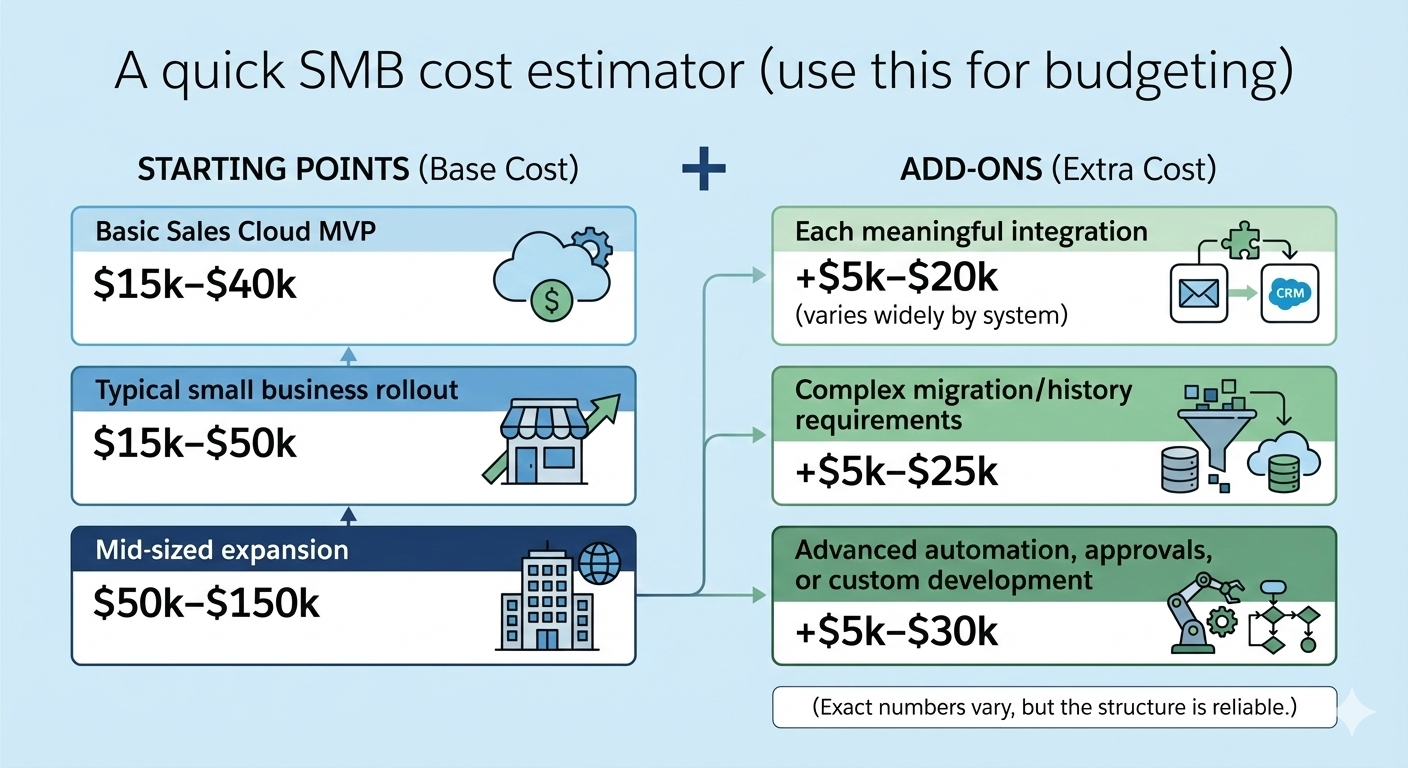
Use these “starting points”:
Then add:
+$5k–$20k for each meaningful integration (varies widely by system)
+$5k–$25k for complex migration/history requirements
+$5k–$30k for advanced automation, approvals, or custom development
(Exact numbers vary, but the structure is reliable.)
These questions protect your budget more than any negotiation tactic:
“What’s included vs out of scope?”
“What assumptions does your price depend on?”
“How do you handle change requests?”
“How will data migration be tested?”
“What training is included by role?”
“What support do we get after go-live?”
“What would you delay to phase 2 if budget is tight?”
A good consultant will answer clearly and push back on unrealistic expectations.
SMB Salesforce setup consulting cost is predictable when you control scope. Most small businesses land between $15k and $50k for a lean implementation, and mid-sized rollouts commonly reach $50k–$150k when customization and integrations grow.
The winning strategy is simple: define one measurable goal, launch an MVP, migrate clean data, add only essential integrations, and budget for post–go-live support. Do that—and Salesforce becomes an operating system for growth, not a never-ending project
Read more : Salesforce Implementation Cost Breakdown Explanation (2025)

 Chatbot