
Posted on Leave a comment

How Does Salesforce Einstein Analytics Work? A Complete Guide (2025)

Professional woman in black suite showing salesforce Einstein Dashboard and having folded hands and smiling

In today’s data-driven world, businesses that can unlock insights from their data have a clear advantage.

Salesforce Einstein Analytics, now known as Tableau CRM, is one of the most powerful tools available to help businesses do just that.

But if you’re new to Salesforce or analytics in general, you might be wondering: How does Salesforce Einstein Analytics actually work?

This guide will break it all down in simple terms. By the end, you’ll clearly understand what Salesforce Einstein Analytics does, how it works, and why it matters for businesses of all sizes.

What Is Salesforce Einstein Analytics?
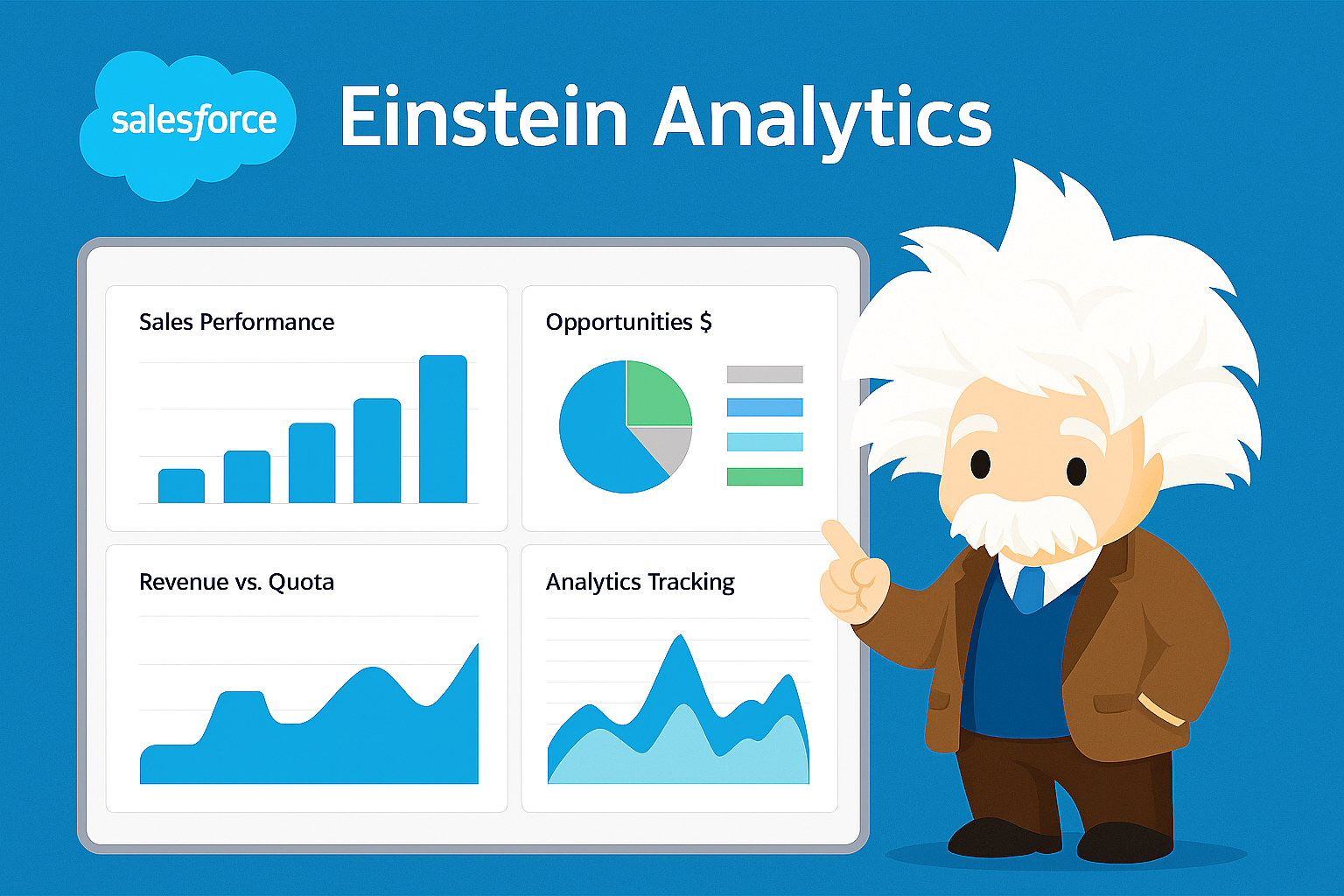
Salesforce Einstein Analytics and its mascot

Salesforce Einstein Analytics (rebranded as Tableau CRM) is an advanced analytics and business intelligence solution built directly into Salesforce.

Think of it as your own data-driven assistant that doesn’t just give you reports but also predicts future outcomes, spots hidden patterns, and recommends the next best steps.

Unlike basic reporting tools, Einstein Analytics empowers you to:

  1. Gather and combine data from multiple sources (Salesforce and beyond).

  2. Visualize data through intuitive dashboards.

  3. Use AI-powered insights for smarter decision-making.

  4. Empower sales, marketing, and service teams with predictive recommendations.

Put simply, it transforms raw business data into actionable insights that help you move from reactive to proactive.

Why Businesses Use Einstein Analytics

Before we dive into how it all works, let’s look at why so many companies trust this tool.

  1. Seamless integration with Salesforce: Since it’s native to Salesforce, your CRM data flows instantly without manual exports.

  2. AI-based predictions: It doesn’t just show what happened but tells you what will likely happen next.

  3. Custom dashboards: Every team can design dashboards tailored to their unique KPIs.

  4. Actionable insights: Recommendations are directly tied to Salesforce actions, meaning you can take the next step right then and there.

  5. Scalability: Whether small startup or global enterprise, it scales with your business needs.

Now that we’ve covered the why, let’s explore the how.

How Does Salesforce Einstein Analytics Work?

The way Einstein Analytics works can be broken down into a structured flow: Data → Analysis → Insights → Actions.

Step 1: Data Collection

Einstein Analytics gathers data from multiple sources, such as:

  1. Salesforce CRM (Sales Cloud, Service Cloud, Marketing Cloud, etc.)

  2. External systems (ERP, databases, spreadsheets, APIs)

  3. Third-party apps and cloud services

This flexibility ensures you have a 360-degree view of your business data – not just Salesforce records.

Step 2: Data Preparation (ETL)

Once data is pulled in, Einstein automatically performs ETL processes (Extract, Transform, Load) to prepare it. This involves:

  1. Cleaning: Removing duplicates and errors.

  2. Transforming: Converting raw numbers into structured fields.

  3. Integrating: Combining different datasets into one unified format.

This step is critical because clean, unified data = more accurate insights.

Step 3: AI-Powered Analysis

This is where the real magic happens. Leveraging artificial intelligence (the Einstein AI engine), the tool analyzes datasets using techniques like:

  1. Machine learning: Predicting customer behavior (e.g., likelihood to convert or churn).

  2. Pattern recognition: Spotting sales trends, seasonal demand surges, or service bottlenecks.

  3. Natural language processing (NLP): Letting users ask questions in simple English (e.g., “Which region had the highest sales last quarter?”)

Essentially, it does the heavy lifting so users don’t need to be data scientists.

Step 4: Visualization and Dashboards

Einstein Analytics translates all this analysis into interactive dashboards.

  1. Sales teams can view pipeline performance.

  2. Marketing can see campaign ROI and customer engagement.

  3. Service teams can check resolution times and satisfaction scores.

Dashboards are not just static charts—they are fully interactive, meaning you can drill down into data for deeper insights.

Step 5: Predictive & Prescriptive Insights

Beyond showing past and current performance, Einstein Analytics provides:

  1. Predictive analytics: Forecasting sales, customer churn, or demand.

  2. Prescriptive analytics: Recommendations on the best action to take next (e.g., upsell opportunity, personalized offer, faster service resolution).

These insights help businesses shift from hindsight to foresight.

Step 6: Taking Action in Salesforce

Here’s where Einstein Analytics truly stands out. Instead of copying insights into another system, you can take direct action inside Salesforce. For example:

  1. A sales manager might spot a deal at risk and reassign it to a senior rep.

  2. A marketing team could automatically adjust spend on high-performing ads.

  3. A service agent could receive alerts to prioritize escalated cases.

It turns insights into execution seamlessly.

Key Features of Salesforce Einstein Analytics
Salesforce Einstein Analytics and its mascot 2

Here are some standout features making Einstein Analytics indispensable:

  1. AI Predictions: Score leads, predict revenue, and forecast trends.

  2. Natural Language Queries: Ask, “Show me revenue by product for Q3,” and get answers instantly.

  3. Advanced Segmentation: Drill into customer groups by geography, behavior, or value.

  4. Mobile-Ready: Access dashboards anytime, anywhere.

  5. Pre-Built Templates: Quickly launch analytics with out-of-the-box apps for sales, service, and marketing.

Real-World Examples of Einstein Analytics in Action

To make things more concrete, let’s look at examples of how businesses use it every day:

  1. Retail: Predict product demand, optimize inventory, and prevent stockouts.

  2. Healthcare: Forecast patient loads, track treatment outcomes, and improve patient engagement.

  3. Financial Services: Detect fraud, predict loan defaults, and personalize client offers.

  4. SaaS Companies: Spot churn risks, optimize renewals, and upsell at just the right moment.

Benefits of Salesforce Einstein Analytics

The benefits extend across all teams in an organization.

  1. Sales: Prioritize leads that are most likely to convert.

  2. Marketing: Measure real-time ROI and optimize campaigns.

  3. Service: Deliver proactive support and reduce case resolution time.

  4. Executives: Gain a holistic view for strategic decisions.

In short, it empowers every department with smarter, faster, and better decision-making.

Challenges to Keep in Mind

Like any powerful tool, Einstein Analytics also comes with considerations:

  1. Learning curve: New users may need training on dashboards and reports.

  2. Data quality: Poor data will result in poor insights (garbage in = garbage out).

  3. Cost factor: Advanced features and scaling can increase investment.

The good news? Salesforce provides extensive training resources and a strong support ecosystem to overcome these hurdles.

Future of Salesforce Einstein Analytics

As Salesforce continues to evolve, expect Einstein Analytics to get even more intuitive, predictive, and user-friendly. Integration with AI models, automation capabilities, and deep industry-specific solutions will continue to grow.

Its future lies in:

  1. Stronger AI automation (less manual setup).

  2. Deeper integration with Tableau for advanced visualizations.

  3. Voice-driven insights, allowing managers to ask questions on the go.

Final Takeaway

So, how does Salesforce Einstein Analytics work? It works by connecting all your data sources, preparing and analyzing them using advanced AI, visualizing insights in powerful dashboards, and enabling real-time business actions—all inside the Salesforce ecosystem.

Businesses that adopt it are better positioned to predict trends, improve efficiency, and make data-driven decisions faster than ever before.

Read moreSalesforce CRM Customization and Implementation Services that 10X Your Revenue (2025)

Posted on Leave a comment

The Ultimate Service Cloud setup guide for nonprofits (2025)

Professional team is talking about service cloud setup for non profits

Setting up Salesforce Service Cloud for a nonprofit isn’t a matter of simply turning on features and hoping for the best.

Even with Salesforce’s powerful technology, configuring Service Cloud so it fits your team, programs, and mission can require weeks or even months of careful effort—mapping nonprofit workflows, migrating legacy data, and building support processes to deliver impact.

But after Service Cloud goes live, how can you be sure it’s empowering your staff, volunteers, and constituents? Nonprofits need a setup that’s frictionless, scalable, and actually works for social good—helping you build relationships, answer requests in real time, raise satisfaction, and show funders your impact.

Salesforce Service Cloud offers a flexible, nonprofit-friendly platform to help you get there.

With the right approach, your nonprofit can start realizing Service Cloud’s value in a matter of days—tracking every case and request, automating outreach, and giving your staff powerful tools for positive change.

We believe that once you follow these expert steps, Service Cloud can transform how you engage supporters, track programs, and amplify your mission.

This Service Cloud setup guide for nonprofits explains the 10 critical steps every nonprofit should follow for Service Cloud setup, from the first strategy session to long-term impact.

10. Build Your Core Project Team

Team is discussing on Service Cloud setup guide for nonprofits

Every successful Service Cloud project starts with collaboration. Gather key players from leadership, programs, IT, and development before you touch a single setting. Assign clear roles—champion, technical lead, admin and end-user tester.

  1. Include champions and end users for strong buy-in.

  2. Define responsibilities and create a project communication plan.

  3. Set a realistic go-live timeline to avoid burnout and confusion.

The right team culture is as important as the right technology.

9. Clarify Nonprofit Goals & Processes

Service Cloud setup must align to your specific objectives:

  1. Are you focused on support ticketing for beneficiaries, donor service, volunteer management, helpline calls, or grant questions?

  2. Map current journeys for staff and stakeholders—where are service gaps or bottlenecks?

By mapping these needs, Service Cloud can be tailored for your real-world impact.

8. Choose the Best Service Cloud Features

Salesforce offers a spectrum of tools. Nonprofits should tailor key features for their mission:

  1. Case Management for tracking support requests

  2. Knowledge Base for FAQs, guides, and self-service

  3. Omnichannel Routing for email, web, and chat

  4. Automated Workflows to route, acknowledge, and escalate requests

Don’t turn everything on at once. Start with essentials and scale features as adoption grows.

7. Design Support Flows & Automations

Configuring Service Cloud isn’t just building cases—it means designing logical flows that serve both people and your mission:

  1. Use record types to differentiate support, volunteer, donation, and program requests.

  2. Set up automations for ticket assignments, email updates, and escalation.

  3. Create macros for repetitive responses that can save staff hours each month.

Automation ensures prompt, reliable service with limited nonprofit resources.

6. Integrate with Nonprofit Success Pack (NPSP)

Most nonprofits rely on NPSP for fundraising, donor management, and reporting. Ensure Service Cloud links seamlessly to NPSP objects:

  1. Set up lookup relationships between cases and contacts, households, organizations, or programs.

  2. Automate status updates for program staff when cases or requests are completed.

  3. Use NPSP reports to show the full lifecycle—from service intake to impact outcome.

This integration brings all your supporter data together in one place.

5. Plan Data Migration & Clean-Up

Bringing support cases, legacy emails, donor issues, and call records into Service Cloud is key, but it needs to be done right:

  1. Cleanse and map old records to new Service Cloud objects and fields.

  2. Validate data post-migration to ensure nothing important is lost.

  3. Archive or secure sensitive data in line with compliance requirements.

A clean foundation enables accurate service tracking going forward.

4. Test with Real Scenarios

Before go-live, test every setup through real family, donor, or program scenarios. Get feedback from the people who will use the platform every day:

  1. Run simulated cases for common situations: donor inquiries, volunteer help, beneficiary support.

  2. Test new workflows, automations, and escalations.

  3. Make adjustments before staff and stakeholders log in the first time.

Testing guarantees a smoother transition and happier users.

3. Engage & Train Your Team

Nonprofit teams must be empowered, not intimidated by Service Cloud.

  1. Provide role-based, task-focused training sessions for staff, volunteers, and leadership.

  2. Build “super users” or champions who support ongoing learning.

  3. Offer guided onboarding and clear help resources right in Salesforce.

Training ensures adoption and maximizes your software investment.

2. Monitor Adoption & Use Data for Improvement

After launch, actively review how Service Cloud is working for your team:

  1. Use dashboards to watch open vs. closed cases, escalation rates, and satisfaction scores.

  2. Gather frontline feedback—what’s working, what’s confusing, what needs changing?

  3. Schedule quarterly reviews to improve case processes and community outcomes.

Analytics turn your CRM into a tool for strategic change.

1. Share Impact & Scale for Growth

The true power of Service Cloud is in measuring impact and scaling good work:

  1. Use reports to communicate how your staff helps more people, closes more cases, or delivers faster aid.

  2. Integrate impact dashboards and data visuals for executives, funders, and your board.

  3. As your nonprofit grows, Service Cloud grows with you—add more programs, channels, and community tools over time.

Making impact visible keeps donors engaged and mission momentum strong.

Final Thoughts

Setting up Salesforce Service Cloud for your nonprofit isn’t just about technology—it’s about people, process, and measurable outcomes. When setup is intentional, collaborative, and scalable, you’ll empower frontline staff, engage your supporters, and make every service request another opportunity for mission-driven impact.

Unlock Service Cloud’s potential and let your nonprofit do more good with less effort—this isn’t just setup, it’s transformation for your cause.


Read moreThe Benefits of Salesforce Service Cloud for Customer Service (2025)

Posted on Leave a comment

Salesforce Implementation Cost Breakdown Explanation (2025)

Professional man wearing suite giving Salesforce Implementation Cost Breakdown Explanation

Implementing Salesforce is a big step for any organization. This is true whether you’re a small business adopting CRM for the first time or a global enterprise replacing legacy systems with Salesforce’s ecosystem.

No matter what stage you’re in, one thing always rises to the top of the conversation—costs. You can spend weeks or months mapping business processes, customizing workflows, and aligning stakeholders to Salesforce, only to realize that your budget and actual expenses don’t always match.

But how can you be sure you understand the real cost of Salesforce implementation? Whether your goal is maximizing ROI, scaling faster, or simply budgeting more accurately, it’s important to break down each cost component clearly.

That way, you won’t be caught off guard by hidden fees. Instead, you’ll enjoy a smooth implementation that delivers on both functionality and financial expectations.

Salesforce is known for being one of the most flexible and powerful platforms available. But with power comes complexity—and with complexity, variation in pricing.

The good news: once you understand how the cost structure works, you’ll be empowered to make smarter business decisions, avoid unnecessary expenses, and get the maximum value out of your Salesforce deal.

We’ve written this blog post to give you 10 key breakdowns that explain Salesforce implementation costs and what drives them.

Cost Component Description Typical Cost Range Notes
Salesforce Licensing Fees User licenses needed to access Salesforce $25 to $300 per user per month Depends on edition (Essentials to Unlimited) and user count
Implementation Partner/Consultant Fees External expertise for setup and customization $100 to $250 per hour Small projects: $10K-$25K; large enterprise: $100K+
Customization & Development Custom objects, workflows, Apex code, Lightning components $10,000 to $85,000+ Greater complexity and custom solutions increase costs
Data Migration Cleaning, mapping, and importing data $5,000 to $60,000+ Depends on data volume, quality, and sources
System Integration Connecting Salesforce to ERP, marketing, other systems $0 (simple) to $100,000+ Simple integrations can be free; complex ERP or API integrations increase costs
User Training & Change Management Training programs, workshops, adoption efforts $500 to $5,000 per user or more Critical for adoption; comprehensive programs raise costs
Ongoing Support & Maintenance Administrator salaries or managed service fees $2,000 to $5,000 per month / $70K-$120K annually Needed post go-live for maintenance and support
AppExchange Add-Ons Third-party apps for extended functionality Varies; often per user per month Can add significant recurring costs
Project Timeline & Complexity Duration and scope affect total consulting and implementation hours 4-6 weeks (small) to 12-18 months (large) Longer timelines increase consulting and internal costs
Industry-Specific Needs Compliance and specialized configurations Variable; can be costly Healthcare, finance, manufacturing often have higher costs due to regulations

10. Salesforce Licensing Fees

man in suite giving Salesforce Implementation Cost Breakdown Explanation to client

At the foundation of every Salesforce implementation are licensing costs. Salesforce licenses come in several editions—Essentials, Professional, Enterprise, and Unlimited. Each edition unlocks different features and pricing tiers.

  1. Essentials may cost around $25/user/month while

  2. Enterprise or Unlimited can stretch to $150–$300/user/month.

The license level you select directly drives both upfront and ongoing costs. Be sure to measure license choice against actual needs. Many companies overspend by buying advanced tiers that go unused.

9. Implementation Partner or Consultant Fees

In most cases, a Salesforce implementation partner or consultant helps deploy Salesforce successfully. Experienced partners bring both technical skills and business process expertise.

  1. Partner rates can range anywhere from $100–$250/hour depending on region and specialization.

  2. A small project may require $10K–$25K in services, while enterprise implementations often reach well into six figures.

This is often one of the largest cost drivers but also the most valuable, ensuring your system is configured for success.

8. Customization and Development Costs

No two Salesforce orgs look exactly alike. Organizations almost always need custom objects, workflows, triggers, Apex code, or Lightning components.

  1. Simple “out of the box” configurations may cost very little.

  2. Custom development, on the other hand, can add weeks of effort and tens of thousands of dollars.

Ask yourself: Do I need a custom feature or does Salesforce already offer a standard tool that meets most needs? Keeping customization lean keeps costs down.

7. Data Migration

Bringing over your data from legacy systems adds both time and cost. It’s not just about exporting and importing—it’s about cleaning, mapping, and verifying.

  1. Migration costs depend on the size, structure, and quality of existing data.

  2. Bad data (duplicates, missing fields) requires extra cleaning, raising costs.

A small business may spend $5K–$10K on migration, while large enterprises could spend $50K+ if multiple systems and millions of records are involved.

6. Integration with Other Systems

Salesforce rarely lives in isolation. You’ll likely want it connected to systems such as ERP, marketing automation, or customer support tools.

  1. Simple integrations (e.g., Salesforce + Google Workspace) may be free or low-cost.

  2. Complex ERP integrations or custom APIs can run $20K–$100K depending on scope.

The deeper your tech stack integration needs, the higher the cost of Salesforce implementation.

5. User Training and Change Management

Even the best system fails without adoption. Training end users is a critical investment.

  1. Basic training might be included with your partner’s implementation package.

  2. Comprehensive programs with workshops, e-learning, and ongoing support can cost thousands more.

Change management—communication plans, leadership alignment, and adoption monitoring—also adds to the budget but prevents project failure in the long run.

4. Ongoing Support and Maintenance

Implementation costs don’t end at go-live. You need admins, support teams, and maybe even part-time consultants to maintain the org.

  1. An in-house Salesforce Administrator salary may range $70K–$120K per year.

  2. Managed services from partners could run $2K–$5K/month depending on service scope.

Factor this into your budget early so you don’t underestimate the ongoing costs of ownership.

3. AppExchange Add-Ons and Third-Party Tools

Salesforce has thousands of pre-built apps on the AppExchange. Many organizations rely on these for functionality such as document generation, e-signatures, or advanced analytics.

  1. Free apps exist, but many premium solutions are billed per user per month.

  2. Costs can scale rapidly, adding hundreds or thousands to your monthly bills.

Always cross-check if Salesforce already provides a built-in solution before licensing additional apps.

2. Project Timeline and Complexity

The longer and more complex your implementation, the higher the cost.

  1. A small business setup can be ready in 4–6 weeks with minimal costs.

  2. A global rollout with deep customization may span 12–18 months and millions in budget.

Salesforce implementation timeline drives consulting hours, integrations, and testing costs—so scope carefully.

1. Industry-Specific Needs

Finally, your industry influences Salesforce implementation cost. For example:

  • Financial services may require high-compliance configurations and added security setups.

  • Healthcare often requires integrations with industry-specific tools and HIPAA compliance.

  • Manufacturing projects may require heavy ERP connections and process customization.

Industry requirements can significantly increase cost because of specialized integrations, audits, or regulatory demands.

Final Thoughts

Salesforce implementation is a transformative investment, but that doesn’t mean it has to come with financial surprises.

Understanding the 10 major cost factors—licenses, partner fees, customization, migration, integrations, training, support, apps, timeline, and industry needs—gives you transparency and control over your budget.

By carefully breaking down each cost driver and aligning it with business goals, you can make smarter financial decisions, prevent overruns, and maximize the return on your Salesforce investment.

Salesforce success isn’t just about features—it’s about balancing value and cost from the very beginning.

Read moreSalesforce Implementation Challenges and Solutions (2025)

Posted on Leave a comment

10 Proven Best Practices for Training End Users on Salesforce Effectively (2025)

Training end users on Salesforce is no easy task. Whether you’re rolling out Salesforce to a small team, an entire department, or across a global enterprise, training often turns into a long process of onboarding, demos, documentation, and workshops.

You could spend months fine-tuning dashboards, customizing workflows, and polishing reports, only to realize that actual adoption still lags.

But here’s the truth: no matter how powerful Salesforce is, it’s only as good as the people who use it every day.

The success of Salesforce within your organization depends on how well your end users are trained and how confident they feel navigating the system.

An intuitive, frictionless training approach boosts adoption, improves data accuracy, and fosters long-term productivity.

Salesforce itself provides intuitive technology. But setting up effective training isn’t just about handing over manuals. It’s about creating a training culture that empowers employees, reduces frustration, and builds confidence.

The good news? You don’t have to reinvent the wheel. Training can be structured in a way that’s simple to implement, scalable across teams, and motivating for your users.

Once you start applying these best practices, you’ll see how smoother training fuels faster Salesforce adoption and measurable ROI.

We’ve written this blog post to give you 10 proven best practices for training end users on Salesforce.

10. Keep Training Simple and Role-Specific

team is discussing about best practices for training end users on Salesforce

Training shouldn’t overwhelm users with every feature Salesforce has to offer. Most end users don’t need access to every object, dashboard, or functionality. They need guidance tailored to their roles.

  1. For sales reps, focus on opportunities, accounts, leads, and activities.

  2. For service agents, prioritize case management, knowledge articles, and customer interactions.

  3. For managers, build comfort with reports, dashboards, and forecasting.

By narrowing training down to what matters to each role, you save time and prevent information overload. In just a few sessions, users feel confident enough to perform their day-to-day tasks effectively.

9. Provide Hands-On, Interactive Learning

Slides and lectures rarely work for application training. Users need hands-on practice to retain knowledge.

  1. Use sandbox or training environments so users can practice without fear of “breaking” real data.

  2. Incorporate real scenarios like creating opportunities, logging calls, or assigning service cases.

  3. Include exercises where participants solve mock issues as if they were working live.

Once users learn by doing, Salesforce becomes second nature. They gain both speed and confidence that passive training alone cannot offer.

8. Balance E-Learning with Live Support

Recorded modules and e-learning are great for scalability, but without live interaction they can fall flat. End users often have questions in the moment that automation can’t answer.

That’s why the best approach blends:

  1. Self-paced e-learning videos and tutorials for flexibility.

  2. Weekly check-ins or virtual classrooms for personal guidance.

  3. Support from office hours or peer champions for problem-solving.

Give users options and they’ll engage more consistently with training content.

7. Provide Bite-Sized Learning Resources

Rather than forcing day-long workshops, break training down into small, digestible lessons. Think of it as “Salesforce in micro-sessions.”

  1. Short video clips walking through specific tasks like “Creating a lead” or “Running a report.”

  2. Quick reference guides (PDFs, cheat sheets) with step-by-step instructions.

  3. Interactive mini-quizzes to help solidify knowledge.

This style of learning prevents fatigue and helps users build mastery gradually. Plus, they always have quick resources to fall back on when they forget a step.

6. Encourage Collaboration and Peer Learning

One of the strongest drivers of Salesforce adoption is peer-to-peer knowledge sharing. Encourage users to learn not just from trainers, but from each other.

  1. Build an internal user group or Salesforce “champion” network within the organization.

  2. Create Slack or Teams channels specifically for Salesforce questions and tips.

  3. Recognize and reward “power users” who help their coworkers.

This spreads knowledge more organically. People are often more open to learning from colleagues who face similar challenges.

5. Make Training an Ongoing Process, Not a One-Time Event

Salesforce isn’t static—it evolves with every update. So should your training. Too often, organizations run an onboarding session during launch and stop there. The problem is, users forget much of what they learned.

Instead:

  1. Schedule refresher sessions every quarter.

  2. Introduce update training whenever Salesforce rolls out major changes.

  3. Encourage a culture of continuous learning through newsletters, knowledge bases, or internal tips.

This ensures end users remain confident and up-to-date, making Salesforce an active tool instead of a frustrating one.

4. Use Real Analytics to Measure Training Impact

Don’t just assume training works—prove it with data. Salesforce itself can help track adoption metrics.

  1. Monitor login frequency and active user sessions.

  2. Analyze the accuracy and completeness of data entered.

  3. Track how often dashboards and reports are used.

Compare these metrics before and after training. If adoption numbers increase, you know the sessions are effective. If not, you can quickly adjust your training methods.

3. Personalize Dashboards and Workflows for Users

Training is not just about teaching—it’s about making users’ experience streamlined. Customizing layouts, dashboards, and workflows to match their job roles makes learning feel less intimidating.

  1. Create custom page layouts for different teams to reduce clutter.

  2. Provide pre-built dashboards that help managers see KPIs without building from scratch.

  3. Configure workflows and automation that reduce manual tasks, so users see immediate benefit.

With these personalized touches, training feels less like learning a generic tool and more like mastering a personalized solution.

2. Use Gamification to Drive Engagement

Training can feel boring if it’s all theory. Gamification adds an element of fun.

  1. Award digital badges for course completion.

  2. Launch team competitions like “fastest opportunity creation” challenges.

  3. Offer small incentives like recognition or prizes for top learners.

This creates a sense of excitement around Salesforce and makes learning enjoyable rather than an obligation.

1. Build Training Around Business Goals

At the end of the day, training must link directly to business outcomes. End users need to know why Salesforce matters to them and the organization.

  1. Show sales reps how accurate pipeline updates improve forecasting.

  2. Demonstrate to service agents how quick case logging leads to happier customers.

  3. Prove to leaders how dashboards directly improve decision-making.

When training shows clear business benefits, adoption skyrockets. People see Salesforce not as a chore, but as a tool that makes their jobs easier and more rewarding.

Final Thoughts

Training end users on Salesforce isn’t about forcing them to sit through hours of software demos. It’s about making the platform approachable, relevant, and beneficial to their jobs.

When training is simple, interactive, continuous, and role-based, users adopt Salesforce more eagerly and use it more effectively.

With these 10 best practices, you’ll not only boost adoption rates but also transform Salesforce into a powerhouse that supports long-term growth, productivity, and customer satisfaction.

Read moreSalesforce Implementation Challenges and Solutions (2025)

Posted on Leave a comment

10 Expert Salesforce Field Service Lightning Setup Tips You Can’t Miss (2025)

Professional girl wearing blue standing suite folded hands

Setting up Salesforce Field Service Lightning (FSL) can be challenging, even for experienced Salesforce admins. This is true whether you’re migrating from another field service tool, extending your existing Salesforce org, or implementing it fresh from scratch.

You can easily spend weeks or even months configuring your workforce, defining service territories, building schedules, and aligning resources with your business’s real-world workflows.

But once your system is live, how can you be sure that your field teams, dispatchers, and customers are having a seamless experience? You want a simple and efficient setup in order to deliver world-class service, optimize resources, and drive business growth.

You want to provide intuitive, on-time, and hassle-free support so your customers trust your services and your teams stay productive.

Salesforce Field Service Lightning (FSL) is built precisely for this.

It’s possible to start seeing value from FSL in under a few hours of configuration. From optimizing scheduling and route planning to making sure your field technicians have the right tools and knowledge at their fingertips, the setup process drives the success of your service operations.

We believe that once you embrace these best practices, you’ll recognize how FSL transforms your field service management in a way very few tools can.

We’ve written this guide to give you some essential Salesforce field service lightning setup tips to unlock the true potential of Field Service Lightning.

10. Keep the Setup Simple and Scalable

Professional girl wearing blue suite Salesforce Field giving Service Lightning Setup Tips

We know you’ve already invested so much effort in planning your Salesforce org. The last thing you want is a complicated setup process for FSL. That’s why it’s important to start with simplicity.

  1. Begin with the core objects—service appointments, work orders, and resources.

  2. Avoid over-customizing too early; instead, focus on enabling quick wins and fast adoption.

  3. Always think scalability—how will this setup work when your team doubles or expands into new regions?

In as little as one afternoon, you can define territories, assign resources, and enable the mobile app so field technicians get started immediately. From there, you can expand into advanced features like optimization and automation without disrupting everyday workflows.

9. Leverage Scheduling and Dispatching Insights

One of the biggest benefits of Salesforce Field Service Lightning is its powerful scheduling engine. Instead of guessing or manually dispatching technicians, FSL leverages rules and optimization to streamline resource assignment.

  1. Use scheduling policies to automatically assign the right technician for the right job based on location, skills, and availability.

  2. Create service territories to ensure field staff are aligned with their geography.

  3. Monitor dispatcher dashboards for real-time visibility into team workload and resource utilization.

This not only saves dispatchers valuable time but also ensures customers get faster, more reliable service.

8. Combine FSL with Salesforce Core Reporting

Salesforce is already strong in reporting and analytics. But when you combine Field Service Lightning data with Salesforce’s CRM analytics, the insights become transformative.

Salesforce reports can show you:

  1. Which service appointments get delayed most often.

  2. Which technicians complete jobs faster.

  3. Which customers require repeat visits.

But to understand why those patterns exist, FSL provides technician-level visibility, travel time data, and customer-site context.

Here’s an analogy: If your CRM reports are like your quarterly grades at school, FSL gives you the detailed breakdown of every question—why you scored the way you did. Both are critical for growth.

7. Ensure Lightweight Mobile App Setup

Field Service Lightning includes a dedicated mobile app for technicians. The key to success here is keeping the mobile setup lightweight and user-friendly.

  1. Only include critical fields and actions in the mobile app at first.

  2. Use conditional visibility rules to minimize information overload.

  3. Provide quick-access to knowledge articles, asset details, and parts inventory.

Technicians on-site don’t want to wade through complex menus. They want fast, intuitive access to what helps them resolve issues quickly.

6. No Limits on Scaling Workforce

Whether you manage 5 technicians or 5,000, Field Service Lightning is designed to scale. Unlike legacy tools that break down under high data loads, FSL thrives under enterprise-level usage.

  1. Every technician, vehicle, and appointment can be tracked in real-time.

  2. No sampling—every service call is logged in detail.

  3. The optimization engine handles workloads from small teams to global operations.

This gives you confidence that no matter how much your demand grows, FSL will grow with you seamlessly.

5. Always-On Dispatch and Monitoring

The moment you go live, FSL starts collecting data and helping your dispatchers manage field operations. It’s always on, updating in real-time.

  1. Dispatchers can see live technician locations.

  2. Service managers can monitor ongoing appointments.

  3. Customers can receive automated updates about technician arrival times.

This means fewer calls from customers asking “when will the technician arrive?” and more proactive communication powered by automation.

4. Turn Behavior into Business Decisions

The brilliance of FSL lies in how it doesn’t just record service data but provides actionable insights.

  1. Track reasons for canceled or rescheduled visits.

  2. Identify recurring service issues for specific assets or sites.

  3. Discover where technicians spend the most time—travel vs. repair.

Once you have that visibility, it’s easier to decide whether to hire more staff, redefine territories, or train specific teams. Rather than static reporting, you get dynamic visibility that directly influences operational decisions.

3. Redefine the Customer Journey in the Field

Customers increasingly demand visibility into their service experience. With FSL, you can map their journey step-by-step.

  1. From appointment booking to technician arrival, keep customers informed with SMS or email notifications.

  2. Build customer portals where they can track jobs and request service.

  3. Use analytics to understand pain points in their journey.

This not only improves retention but also opens opportunities for upselling and cross-selling right from service visits—a key growth factor for modern businesses.

2. Visualize Field Operations with Dashboards

The saying “seeing is believing” holds very true for Field Service Lightning as well. Instead of endlessly scrolling through reports, you can see your operations visually.

  1. Interactive dispatcher maps show where every technician is at any given time.

  2. Performance dashboards display KPIs like first-time fix rate, SLA compliance, and average response time.

  3. Forecasting dashboards predict future workloads based on historical data.

Rather than piecing together separate datasets, you can instantly identify patterns and make decisions visually. It’s quicker, clearer, and more actionable.

1. Get the Best Value from a Free Mobile Extension

One of the hidden gems of Field Service Lightning setup is that the mobile app extension (Field Service Mobile App) is included as part of your Salesforce license. That means:

  1. No hidden costs.

  2. No “freemium” tiers or add-on charges.

  3. Unlimited access for licensed users.

This levels the playing field. You don’t need expensive third-party apps for technicians—everything sits inside Salesforce, extending the CRM you’ve already invested in. Competitors often charge heavily for mobility features, but Salesforce democratizes access, ensuring every business—whether a startup or enterprise—can deliver field service excellence.

Final Thoughts

Salesforce Field Service Lightning isn’t just a feature add-on—it’s a complete service ecosystem. With the right setup, you can empower technicians, delight customers, and give dispatchers the visibility they’ve always needed.

Leverage these tips to not only get up and running quickly but also to build a solid foundation for scaling field operations. Whether your goal is faster service, higher customer satisfaction, or smarter scheduling decisions, FSL has the tools to deliver.

Unlock the power of Field Service Lightning to transform your field operations today!

Read more : Salesforce AgentForce: Transform Customer Service with AI [2025]