Posted on Leave a comment

Salesforce Pardot implementation for B2B companies (2025)

Salesforce Pardot implementation for B2B companies

Imagine generating only high‑quality leads that are sales‑ready—every time. For B2B companies, that’s no longer a dream—it’s possible with a strategic Salesforce Pardot implementation for B2B companies.

But Pardot isn’t plug‑and‑play. Without a thoughtful setup, even the best marketing automation tools fail. This guide walks you through a proven, step‑by‑step implementation roadmap—from business alignment to automation, scoring, analytics, and testing—designed to turn Pardot into your biggest growth engine.

1. Define Business Goals & Align Stakeholders

Team is discussing about Salesforce Pardot implementation for B2B companies

Before touching Pardot, clarify ROI goals like MQL (Marketing Qualified Leads) increase, pipeline growth, or reduced sales cycle. Establish KPIs: MQL→SQL conversion, cost per lead, campaign ROI.

Secure executive sponsorship (CMO/CIO), align sales and marketing on lead definitions, and create an SLA. This ensures everyone agrees on what qualifies as a lead and how swiftly sales responds.

2. Audit Data & Prepare Your CRM

Lead quality directly affects Pardot performance. Clean duplicates, outdated records, and incomplete profiles. Standardize titles, industries, regions to support segmentation.

Decide whether to use Business Units (for multi‑region or brand setups), or one global Pardot instance—this impacts data structure and licensing.

3. Technical Setup: Integrate Pardot with Salesforce

Install the Pardot AppExchange package and configure user permissions, campaign hierarchy, and connector settings in Salesforce.

Enable Connected Campaigns so Salesforce and Pardot share campaign data, allowing multi-touch attribution reporting and clear marketing/sales visibility.

Sync both systems bi-directionally with Connector v1 or v2, then map Salesforce Leads, Contacts, Accounts, and Opportunities to corresponding Pardot fields.

4. Build Prospect Scoring, Grading & Segmentation

Pardot excels when you prioritize the right leads. Define scoring (activity points like email opens and page clicks) and grading (fit—title, industry, company size).

Set dynamic lists, tags, profiles, and segmentation rules to group prospects by behavior, industry, or buyer stage.

5. Create Assets: Forms, Landing Pages, Email Templates

Design branded landing pages and Pardot forms with progressive profiling to capture relevant data without repelling prospects.

Build reusable email templates, content offers, and assets (whitepapers, checklists) hosted within Pardot for tracking and consistency.

6. Automation & Nurture Campaigns via Engagement Studio

Develop nurture journeys with Pardot’s Engagement Studio. Build multi-path drip campaigns that adapt to behaviors: open → next, ignore → retarget, click → handoff to sales.

Use automation rules, completion actions, and page actions to dynamically assign leads, adjust scoring, and trigger follow‑ups.

7. Analytics & Dashboard Reporting

Enable B2B Marketing Analytics within Salesforce for unified dashboards across marketing and sales. Use campaign hierarchy for drill‑down visibility.

Track lead lifecycle: from engagement to closed‑won. Monitor MQL → SQL conversion, lead source ROI, and funnel performance by content asset and channel.

8. Testing, Training & Continuous Improvement

Use sandbox testing to validate email deliverability, form submissions, connector sync, and automation logic before going live.

Train marketing and sales users on usage, alert workflows, dashboards, and response SLAs. Without adoption, implementation fails.

Periodically audit scoring/grading logic, clean up automation or asset clutter, and realign to ICP and buyer behavior as you scale.

 Why This Works for B2B Companies

  1. Designed for complex, long-cycle B2B funnels: Pardot supports multiple buyer personas and long nurturing paths.

  2. Native integration with Salesforce: Unified view of prospects, smoother handoff to sales, and AI-powered insights via Einstein automation.

  3. Upgradeable and scalable: Reusable assets, business units, dynamic segmentation, and analytics scale as your campaigns do.

  4. Security & compliance built‑in: Supports consent tracking, GDPR, CAN-SPAM, double opt‑in, secured SSL domains and DKIM/SPF settings.

What is Salesforce Pardot implementation for B2B companies?

A strategic implementation process that aligns Pardot with Salesforce, defines goals, scoring, segmentation, automation, and analytics to convert high-quality B2B leads.

Key Steps:

  1. Set KPIs & secure stakeholder alignment

  2. Audit data and set up CRM integration

  3. Build scoring, segmentation, and engagement rules

  4. Design forms, landing pages, email templates

  5. Launch nurture journeys via Engagement Studio

  6. Enable B2B analytics and dashboards

  7. Test thoroughly & train users for adoption

FAQ Section

Q1. How long does Pardot implementation take for B2B companies?
Typically, a phased rollout takes 4–6 weeks, covering audit, design, setup, testing, and training.

Q2. Do I need Pardot Advanced or Business Units for B2B?
If you operate in segmented regions or business units, or require granular data isolation, Pardot Advanced with Business Units is recommended.

Q3. How do I align lead scoring with sales handoff?
Define MQL thresholds combining activity (score) and fit (grade). When thresholds are met, use automation rules to notify and assign leads in Salesforce to sales reps.

Conclusion

A thoughtful Salesforce Pardot implementation for B2B companies is far more than a checklist—it’s a structured growth engine aligned with business goals and user behavior. Clean data, strategic scoring, smart automation, and unified analytics help you generate and close better leads faster. Implement well, train thoroughly, and iterate relentlessly—and you’ll build an implementation that not only ranks in SEO—but also delivers measurable impact.

Read moreSalesforce Implementation Timeline for Small Businesses (2025)

Posted on Leave a comment

Salesforce Implementation Cost for Medium‑sized Business in India (2025)

Salesforce Implementation Cost for Medium‑sized Business in India

Curious about how much a typical Salesforce implementation cost for medium‑sized business in India? You’re not alone. Many growing companies wrestle with the uncertainty of investing in a CRM that can transform their operations—but only if it’s affordable and scalable.

In this blog, we unpack real-time facts and figures, share credible benchmarks, and help you estimate your true cost—from licensing to training—so you can move forward with clarity and confidence.

Why This Guide Helps You

  1. You get current cost estimates based on Indian pricing models

  2. Learn key cost drivers specific to medium enterprises

  3. Compare implementation options: top‑down vs. phased

  4. Gain pro tips to reduce hidden expenses

  5. Walk away with a trusted budget framework to get quotes from partners

1. What Is a Medium‑Sized Business in Salesforce Terms?

In India, a medium‑sized company typically means:

  • 50 – 200 Salesforce users (sales, support, marketing teams)

  • Some level of process complexity: workflows, case routing, dashboards

  • Need to integrate 1–2 other systems (e.g. ERP or billing platform)

  • Moderate data volume: client records, transaction history, marketing lists

As per multiple sources, the typical Salesforce implementation cost for medium‑sized business in India ranges from ₹20 lakh to ₹60 lakh (≈ USD 25,000 – 75,000)

2. Cost Breakdown: Real-Time Figures

Licensing & Setup

  1. User licenses: Sales Cloud/Service Cloud licensing starts at ₹3,750–₹7,500/user/month

  2. For 100 users: annual user license cost = ₹45 lakh to ₹90 lakh

Often clients bundle license and implementation cost proposals together.

Implementation Fees (Consulting)

In India:

  1. Junior consultants: ₹800–₹1,600/hr (~$10–20)
  2. Mid-level: ₹2,500–₹3,300/hr (~$25–40)
  3. Senior consultants: ₹3,700–₹4,900/hr (~$45–60)
  4. At ₹3,000/hr (mid-level blend): ₹12 lakh to ₹24 lakh
  5. Add senior specialist hours: total estimated consulting ≈ ₹15 lakh to ₹30 lakh

Customization & Integration

– Moderate customization and integration work: ₹10 lakh to ₹25 lakh depending on complexity

Data Migration & Training

  1. Data migration: ₹10 lakh to ₹50 lakh depending on data volume and cleanup needed

  2. Training and change management: ₹3 lakh to ₹5 lakh for 50–150 users

Post‑Implementation Support

  1. Managed services typically cost ₹80,000 to ₹8 lakh/month depending on scope

  2. Three months hyper-care: ₹2 lakh to ₹6 lakh

3. Typical Cost Summary Table (Medium Business)

Cost Component Estimated Range (₹ Lakh) Purpose
User Licenses (annual) 45 – 90 Salesforce platform per user
Implementation Consulting 15 – 30 Configuration, workflows, integrations
Custom Development & Add-ons 10 – 25 Automations, APIs, custom modules
Data Migration 10 – 50 Importing & cleaning existing CRM data
Training & Adoption 3 – 5 User onboarding, admin training
Support (3‑month hyper-care) 2 – 6 Technical support post-go-live
Total Estimated Cost 85 – 206 Complete project (excl. ongoing license year 2+)

4. Factors Affecting Your Actual Cost

  1. Project Complexity – deeper automation, CPQ, portals = higher

  2. Number of Users – larger teams increase licenses and support needs

  3. Integration Scope – connecting multiple ERPs, billing, tools adds cost

  4. Customization Level – bespoke objects or workflows vs clicks

  5. Consultant Expertise – big SI firms cost more than niche boutique partners 

  6. Geography & Delivery Model – remote Indian partner vs on-site US-based team

5. How to Minimize Your Cost

  1. Start with Salesforce standard features before customizing

  2. Use phased rollout: begin with Sales & Service Cloud, then expand

  3. Opt for an Indian-certified partner, average rates are 40–60% cheaper than Western firms 

  4. Request fixed‑price quotes where possible

  5. Negotiate to bundle training, support, and future enhancements

6. Key Tips for Smart Budgeting

  1. Ask consultants for hourly rate breakdown: junior vs senior

  2. Clarify what’s included in the scope (reports, dashboards, UAT, hyper-care)

  3. Watch out for hidden costs (e.g., license add-ons, sandbox environments)

  4. Set realistic project timeline—aggressive timelines increase cost

  5. Always compare at least 2–3 partner quotes to benchmark pricing

7. Final Thoughts

If you’re calculating the Salesforce implementation cost for medium‑sized business in India, a realistic range is:

₹85 lakh – ₹2.06 crore (≈ USD 100,000 – 250,000), including licenses, consulting, customization, migration, training, and initial support.

This range allows for flexibility depending on your business needs and complexity level. The key is to work with a certified partner, plan in phases, and focus on value delivery—not just cost.

Ready to Estimate Your Specific Project?

Drop a few details about your expected user count, systems to integrate, and top business priorities—and I can help build a tailored cost estimate and checklist for you.

Let me know if you’d like to generate similar posts for specific regions (e.g., mid‑size firms in Delhi or Mumbai) with hyper‑localized facts or sample partner quotes!

Read moreThe Hidden Costs of Salesforce Implementation: How to Avoid Budget Overruns [2025]

Posted on Leave a comment

Top 35 Salesforce Companies in India You Should Know (2025)

top 35 salesforce companies in India

India has rapidly emerged as a global hub for cloud technology and CRM development—and leading the charge is Salesforce. But with hundreds of consultancies claiming to be “certified partners,” how do you figure out which ones are actually reliable?

If you’ve been scratching your head trying to choose from a sea of Salesforce partners, this blog is your shortcut. We’ve carefully compiled a verified list of the Top 35 Salesforce Companies in India, complete with website links, foundation and services.

Whether you’re a growing startup or an enterprise preparing for digital transformation, this guide will help you partner with the right Salesforce expert.

Major IT & Global Firms


Sr. No. Company Website Foundation Year Company Services
1 Tata Consultancy Services (TCS) www.tcs.com 1968 Salesforce Consulting, Implementation, Migration, Customization, Managed Services
2 Infosys www.infosys.com 1981 Salesforce Consulting, Implementation, Integration, Application Development, Support
3 Wipro / Appirio www.wipro.com 1945 Salesforce Strategy, Implementation, Cloud Services, Digital Transformation, Managed Services
4 Cognizant www.cognizant.com 1994 Salesforce Consulting, Implementation, Digital Experience, AI and Analytics, Cloud Solutions
5 Capgemini www.capgemini.com 1967 Salesforce Consulting, Implementation, Digital Customer Experience, Cloud Services


Leading Indian Salesforce Consulting Firms


Sr. No. Company Website Foundation Year Company Services
6 Pletra Technologies www.pletratech.com 2017 Best Salesforce Consulting & Implementation Partner, Integration, Support
7 Cynoteck Technology Solutions www.cynoteck.com 2008 Salesforce Consulting, Implementation, Dynamics 365, Web Development, Mobile Apps
8 Hyperlink InfoSystem www.hyperlinkinfosystem.com 2011 Salesforce Development, Mobile App Development, Web Development, AI & ML
9 Algoworks www.algoworks.com 2006 Salesforce Consulting, Implementation, Mobile App Development, DevOps
10 Cloud Analogy www.cloudanalogy.com 2015 Salesforce Consulting, Implementation, Development, Integration, Support
11 Techila Global Services www.techilaservices.com 2012 Salesforce Consulting, Implementation, Staff Augmentation, Corporate Training
12 Cyntexa www.cyntexa.com 2018 Salesforce Consulting, Implementation, Development, AppExchange Solutions
13 Emizentech www.emizentech.com 2013 Salesforce Consulting, Implementation, eCommerce Integration, Mobile Solutions
14 Closeloop Technologies www.closeloop.com 2011 Salesforce Development, Staff Augmentation, Web & Mobile App Development
15 Melonleaf Consulting www.melonleaf.com 2018 Salesforce Consulting, Implementation, Integration, Managed Services
16 TRooTech Business Solutions www.trootech.com 2014 Salesforce Development, AI/ML, IoT, Mobile & Web Development
17 Girikon www.girikon.com 2011 Salesforce Consulting, Implementation, Development, Integration, Managed Services
18 Zordial Technologies www.zordial.com 2019 Salesforce Consulting, Implementation, Customization, Lightning Migration

Additional Certified Providers


Sr. No. Company Website Foundation Year Company Services
19 Zoxima Solutions www.zoxima.com 2012 Salesforce Consulting, Implementation, CPQ, Field Service, Marketing Cloud
20 Rithom Consulting www.rithom.com 2017 Salesforce Consulting, Implementation, Data Migration, Custom Development
21 Solunus, Inc. www.solunus.com 2014 Salesforce Consulting, Managed Services, Application Development
22 Enzigma Software www.enzigma.com 2002 Salesforce Development, AppExchange Products (e.g., FTP-G), Cloud Solutions
23 Ato Cloud www.atocloud.com 2017 Salesforce Consulting, Implementation, Integration, Data Services
24 Digital Aquila www.digitalaquila.com 2019 Salesforce Consulting, Marketing Automation, Pardot, Digital Marketing
25 SaaSfocus (Cognizant) www.cognizant.com/saasfocus 2009 One of APAC’s leading Salesforce partners, now part of Cognizant
26 instinctools www.instinctools.com 2000 Salesforce Consulting, Custom Software Development, Cloud & DevOps
27 SoluLab www.solulab.com 2014 Salesforce, Blockchain, AI/ML, Mobile & Web Development
28 Erudite Works Private Limited www.eruditeworks.com 2018 Salesforce Consulting, Implementation, Corporate Training
29 AnavClouds Software Solutions www.anavclouds.com 2016 Salesforce Consulting, Implementation, Lightning Migration, Support
30 Wakencode Technologies www.wakencode.com 2019 Salesforce Consulting, Development, Integration, Staffing
31 Thinqloud Solutions www.thinqloud.com 2015 Salesforce Consulting, Implementation, Managed Services
32 Phenoble Software www.phenoble.com 2020 Salesforce Consulting, Development, Integration
33 Synexc www.synexc.com 2017 Salesforce Consulting, Implementation, Custom Development
34 CloudVandana www.cloudvandana.com 2017 Salesforce Consulting, Implementation, Support, Data Migration
35 Appstrail www.appstrail.com 2018 Salesforce Consulting, Implementation, Integration, Managed Services

How to Choose the Right Salesforce Partner in India?

Here are 5 questions to ask before hiring:

  1. Does the company hold official Salesforce certifications?

  2. What is their industry-specific experience?

  3. Can they share case studies and project outcomes?

  4. Do they offer post-launch support?

  5. Are they open to customized pricing and flexible delivery models?

Read RelatedThe Ultimate Guide to Choosing the Right Salesforce Consulting Companies (2025)

Frequently Asked Questions (FAQs)

Q1: Are Indian Salesforce companies cost-effective?

Absolutely. You can expect quality output at 40–60% lower rates than US or EU firms—without compromising on results.

Q2: Do these firms work with international clients?

Yes. Nearly all top Salesforce companies in India serve clients across the USA, UK, UAE, and Australia.

Q3: What industries do they specialize in?

Popular domains include Healthcare, Education, E-commerce, FinTech, Insurance, Manufacturing, and Real Estate.

Q4: How long does it take to complete a Salesforce project?

A typical Salesforce CRM implementation can take anywhere from 3 weeks to 6 months, depending on complexity.

Final Thoughts

The demand for certified Salesforce companies in India is skyrocketing, thanks to the nation’s growing tech landscape and global client success stories. This list offers a clear, simplified, and data-driven view to help you make the right decision for your business.

Still confused about which partner to choose?

Just drop a message or comment, and we’ll help you match with the right Salesforce partner based on your industry and goals.

Posted on Leave a comment

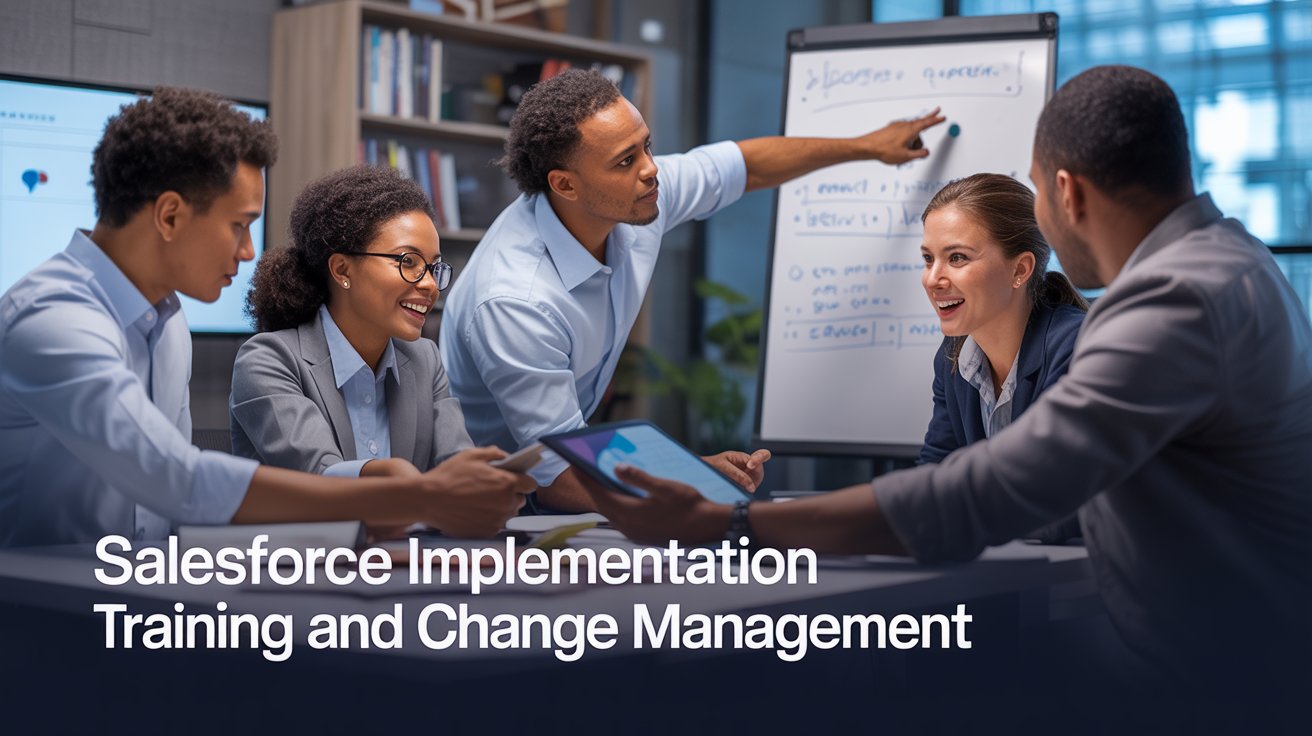
Salesforce Implementation Training and Change Management (2025)

Salesforce Implementation Training and Change Management

In the world of Customer Relationship Management (CRM), Salesforce stands as the undisputed leader, offering powerful tools that can transform how organizations manage customer relationships, streamline sales processes, and drive growth.

However, implementing Salesforce is not merely a technical endeavor—it’s a significant organizational change that requires thoughtful planning, comprehensive training, and strategic change management to ensure success.

Even the most perfectly configured Salesforce instance will fail to deliver value if users don’t adopt it effectively. This is where Salesforce implementation training and change management become critical components of any successful implementation strategy.

This guide explores best practices, strategies, and approaches for ensuring that your Salesforce implementation achieves high adoption rates and delivers the expected business outcomes.

Understanding the Human Side of Salesforce Implementation

Team is discussing Salesforce Implementation Training and Change Management

The Challenge of Organizational Change

Implementing Salesforce represents a significant change for most organizations. It often involves:

  1. New ways of working and managing customer relationships

  2. Different processes for tracking sales, service, and marketing activities

  3. Changes to how data is entered, accessed, and utilized

  4. Shifts in how teams collaborate and share information

  5. New metrics and performance indicators

  6. Different reporting structures and visibility

These changes can be disruptive and may trigger resistance, especially if users don’t understand the benefits or feel unprepared to work in the new environment.

Research consistently shows that change management is a critical success factor in technology implementations, with projects that include effective change management being six times more likely to meet or exceed objectives.

The Adoption Imperative

User adoption is the single most important factor determining whether a Salesforce implementation delivers its expected return on investment. Low adoption leads to incomplete data, inconsistent processes, limited visibility into customer interactions, reduced collaboration, and failure to realize expected benefits.

Conversely, high adoption creates a virtuous cycle where complete, accurate data leads to better insights, which drives more adoption as users see the value of the system. Effective training and change management are the primary levers for driving this adoption.

Developing a Comprehensive Salesforce Training Strategy

Assess Training Needs and Learning Styles

Begin by understanding your audience and their specific needs:

Conduct a skills assessment: Evaluate current technical proficiency, CRM experience, and role-specific requirements

Identify different user groups: Sales representatives, managers, administrators, executives, and other stakeholders may have different training needs

Recognize diverse learning styles: Some users learn best through hands-on practice, others through visual demonstrations, and others through written materials

Consider organizational culture: Training should align with your organization’s culture and communication style

This assessment provides the foundation for a training plan that addresses the specific needs of your organization and users.

Define Clear Learning Objectives

Establish specific, measurable learning objectives that align with your business goals:

– System navigation: Users can confidently navigate the Salesforce interface

Data entry: Users accurately enter and update customer information

Process execution: Users can execute key business processes within Salesforce

Reporting: Users can access and interpret reports relevant to their roles

Collaboration: Users effectively collaborate with colleagues through Salesforce

Mobile usage: Users can access and use Salesforce on mobile devices when needed

Clear objectives help focus training content and provide criteria for evaluating training effectiveness.

Design a Multi-Faceted Training Program

Create a training program that combines different approaches to accommodate various learning styles and needs.

Instructor-Led Training

Traditional classroom or virtual instructor-led training offers several advantages:

  1. Direct interaction with trainers for immediate questions and clarification

  2. Peer learning through group discussions and shared experiences

  3. Structured curriculum with clear progression

  4. Dedicated time away from daily responsibilities to focus on learning

Design instructor-led sessions to be interactive, with a mix of presentation, demonstration, and hands-on exercises.

Self-Paced Learning

Self-paced learning options provide flexibility and allow users to learn at their own speed:

  1. Online modules: Interactive e-learning courses that users can complete on their schedule

  2. Video tutorials: Short, focused videos demonstrating specific tasks or concepts

  3. Written guides: Step-by-step instructions for reference during and after training

  4. Practice environments: Sandbox instances where users can safely experiment with the system

Self-paced resources are particularly valuable for reinforcement after formal training and for accommodating different learning speeds.

Role-Based Training Paths

Different users have different needs based on their roles in the organization. Create role-specific training paths that focus on the aspects of Salesforce most relevant to each group:

  1. Sales representatives: Lead and opportunity management, mobile access, activity tracking

  2. Sales managers: Pipeline management, forecasting, team performance reports

  3. Service agents: Case management, knowledge base, customer communication tools

  4. Marketing users: Campaign management, lead nurturing, marketing analytics

  5. Executives: Dashboards, high-level reports, strategic insights

  6. System administrators: Configuration, user management, security, customization

Role-based training ensures that users learn what’s most relevant to their daily work, increasing engagement and retention.

Implementing Effective Change Management for Salesforce

While training focuses on building skills and knowledge, change management addresses the broader organizational and psychological aspects of adopting a new system. Here’s how to implement effective change management for your Salesforce implementation.

Establish Strong Executive Sponsorship

Executive sponsorship is consistently identified as the most important success factor in change management. Effective executive sponsors:

  1. Articulate a compelling vision for the Salesforce implementation

  2. Demonstrate visible support for the change

  3. Allocate necessary resources for training and change management

  4. Use the system themselves, modeling desired behaviors

  5. Remove organizational obstacles to adoption

  6. Hold people accountable for system use

  7. Celebrate successes and recognize adoption leaders

Without strong executive sponsorship, Salesforce implementations often struggle to achieve widespread adoption, regardless of the quality of the technical implementation or training.

Develop a Clear Change Vision and Case for Change

Users need to understand not just how to use Salesforce but why the organization is implementing it and how it benefits them personally:

  1. Organizational benefits: How Salesforce supports business goals and objectives

  2. Team benefits: How Salesforce improves team collaboration and performance

  3. Individual benefits: How Salesforce makes users’ jobs easier or more successful

  4. Customer benefits: How Salesforce enables better customer experiences

This case for change should be communicated consistently through multiple channels and reinforced throughout the implementation process.

Identify and Engage Change Champions

Change champions are influential users who support the Salesforce implementation and help drive adoption among their peers:

  1. Selection criteria: Look for respected team members with positive attitudes toward change

  2. Roles and responsibilities: Define specific ways champions will support the implementation

  3. Early involvement: Include champions in design decisions and early testing

  4. Special training: Provide champions with advanced training so they can help others

  5. Recognition: Acknowledge and reward champions’ contributions to the implementation

Change champions extend the reach of the formal implementation team and provide peer support that can be more effective than top-down directives.

Address Resistance Proactively

Resistance to change is natural and should be anticipated and addressed rather than ignored:

  1. Identify potential sources of resistance: Understand concerns about job security, workload, performance measurement, etc.

  2. Listen actively: Create forums for users to express concerns and ask questions

  3. Address misconceptions: Provide accurate information to counter rumors or misunderstandings

  4. Involve resistors: Engage potential resistors in the implementation process when possible

  5. Demonstrate benefits: Show concrete examples of how Salesforce improves work processes

  6. Provide extra support: Offer additional training or coaching for struggling users

By addressing resistance openly and constructively, you can often convert skeptics into supporters and prevent resistance from undermining adoption.

Measuring Training and Change Management Success

To ensure your training and change management efforts are effective, establish clear metrics and regularly assess progress.

Training Effectiveness Metrics

Evaluate the impact of your training program through:

  1. Completion rates: Percentage of users who complete required training

  2. Assessment scores: Results from knowledge checks and skill evaluations

  3. Confidence ratings: Self-reported user confidence in using the system

  4. Help desk tickets: Volume and nature of support requests after training

  5. Time to proficiency: How quickly users become comfortable with the system

  6. Training satisfaction: Participant feedback on training quality and relevance

These metrics help identify areas where training may need to be enhanced or adjusted.

Adoption Metrics

Measure how effectively users are adopting Salesforce:

  1. Login frequency: How often users access the system

  2. Feature utilization: Which capabilities are being used and by whom

  3. Data quality: Completeness and accuracy of information in the system

  4. Process adherence: Whether users are following defined processes

  5. Mobile usage: Adoption of Salesforce mobile applications

  6. Collaboration activity: Use of Chatter and other collaborative features

Low scores in these areas may indicate the need for additional training or change management interventions.

Conclusion

Salesforce implementation training and change management are not optional extras but essential components of a successful CRM strategy.

Organizations that invest appropriately in these areas typically see higher adoption rates, faster time to value, and greater return on their Salesforce investment.

Effective training ensures that users have the knowledge and skills to use Salesforce effectively, while strategic change management addresses the human and organizational factors that influence adoption.

Together, they create an environment where Salesforce becomes not just a technology platform but a transformative business tool that drives growth, efficiency, and customer success.

As a specialized Salesforce implementation partner, Pletratech brings deep expertise in both the technical aspects of Salesforce and the human factors that determine implementation success.

Our comprehensive approach includes customized training programs and strategic change management services designed to maximize adoption and business impact.

Read moreThe Salesforce Implementation Process & The Role of Stakeholder Engagement (2025)

Posted on Leave a comment

The Salesforce Implementation Process & The Role of Stakeholder Engagement (2025)

salseforce implementation process is discussed by the salesforce professionals

Implementing a new system can be daunting, especially for a platform as robust as Salesforce. One key to ensuring a successful transition lies not just in the technology itself but in the people involved.

Stakeholders are the heart and soul of the Salesforce implementation process. Their insights and involvement can dramatically shape the project’s success or failure. It’s like having a compass guiding you through uncharted waters; without it, you might easily veer off course.

However, engaging stakeholders isn’t just about checking a box on a project plan. It’s about forging genuine connections and fostering collaboration.

In this article, we’ll unpack the significance of effective stakeholder engagement in the Salesforce implementation process and how it can help you unlock the full potential of Salesforce for your organization.

Understanding Stakeholder Engagement

Professional team is discussing on salesforce implementation process

Definition of Stakeholders

Stakeholders are individuals or groups who have an interest in or are impacted by a project. In a Salesforce implementation process, stakeholders can range from executives and managers to end-users and IT staff.

Each group holds different perspectives and knowledge that can be invaluable throughout the implementation.

Why Their Input Matters

The input from stakeholders can significantly influence the outcome of the project. Understanding the needs, concerns, and expectations of these groups can help identify potential pitfalls early on.

Implementing a platform like Salesforce without stakeholder input is akin to sailing a ship without a crew; it may drift aimlessly without the right guidance.

Different Types of Stakeholders in Salesforce Implementation

  1. Executive Sponsors: They provide direction and resources.

  2. End-Users: The team members who will be using Salesforce daily can provide insights into workflow and user experience.

  3. IT Support Staff: This group ensures technical feasibility and integration with existing systems.

  4. Project Managers: They coordinate activities and ensure the project remains on track.

  5. Trainers: Responsible for preparing the staff to effectively use Salesforce.

Engaging all these groups creates a fuller picture of what needs to be accomplished during the Salesforce implementation process, thus increasing the chance of a successful rollout.

The Benefits of Engaging Stakeholders

Improved Buy-In and Support for the Project

One of the primary benefits of engaging stakeholders is the buy-in they provide. When stakeholders feel their opinions are valued, they are more likely to support the project, leading to a smoother implementation.

They become advocates for the change rather than opponents, creating a more collaborative environment.

Identification of Key Requirements and Needs

Engagement helps identify what features and functionalities the end-users need from the Salesforce implementation process.

For instance, an executive might prioritize analytics and reporting, while end-users might stress the importance of a user-friendly interface.

This collaboration ensures the final product meets the comprehensive needs of all parties involved.

Facilitating Change Management Processes

Change is often met with resistance. However, including stakeholders in the process significantly eases this transition. Their involvement can help pinpoint potential resistance areas.

By addressing these before they arise, you create a smoother path toward adoption.

Strategies for Effective Stakeholder Engagement

Identifying Stakeholders Early

Begin identifying your stakeholders at the project’s inception. The earlier you categorize and understand the groups involved, the more effectively you can engage them throughout the Salesforce implementation process.

Involving Stakeholders in the Planning Phase

Involve stakeholders right from the planning phase. Incorporate their feedback into your project plan to address their concerns and ideas from the get-go. Consider hosting brainstorming sessions where stakeholders can share their thoughts.

Maintaining Open Channels of Communication

Communication is the cornerstone of effective stakeholder engagement. Create consistent touchpoints, whether through team meetings, newsletters, or collaborative online platforms.

This keeps stakeholders informed and engaged throughout the Salesforce implementation process.

Regular Feedback Mechanisms

Establish feedback loops where stakeholders can express their thoughts on the implementation progress. Feedback forms, surveys, or informal check-ins can reveal areas that may need adjustments, fostering a feeling of shared ownership of the project.

Counterarguments and Criticism

Over-Engagement Can Lead to Gridlock

While engaging stakeholders is essential, too many voices can create a situation where decision-making stalls. Striking a balance between input and action is vital to ensure the Salesforce implementation process moves ahead smoothly.

Diverse Opinions May Result in Confusion

A variety of opinions can sometimes lead to indecision. A clear framework for decision-making must be established to ensure all perspectives are valued while maintaining a focused direction.

Stakeholder Fatigue and Resistance

There is a potential that continuous engagement can lead to fatigue. Stakeholders can feel overwhelmed with constant meetings or requests for feedback. It’s crucial to be mindful of this and find ways to keep engagement meaningful without becoming burdensome.

Reaffirming the Importance of Stakeholder Engagement

Successful Case Studies

Numerous organizations have seen tangible benefits from involving stakeholders during the Salesforce implementation process. For example, a mid-sized manufacturing firm that integrated stakeholder feedback into its Salesforce rollout saw a 35% increase in user adoption rates.

Mitigating Risks Through Involvement

Engaging stakeholders helps to identify risks early. For instance, a retail company could foresee inventory management challenges by consulting their supply chain professionals during the planning phase.

Long-term Benefits Outweigh Short-term Challenges

Though challenges do arise from stakeholder engagement, the long-term advantages far surpass these short-term hurdles. More efficient processes and satisfied users ultimately lead to a more successful implementation and a greater return on investment.

Conclusion

Engaging stakeholders is not merely an option; it’s a fundamental component of the Salesforce implementation process. Throughout this article, we’ve explored how effective engagement maximizes the benefits of Salesforce and mitigates common pitfalls.

As leaders and decision-makers, it’s imperative to prioritize stakeholder engagement for any technology implementation. Moving forward, remember that the landscape of tech projects is evolving, and the role of stakeholders will undoubtedly grow in importance. Make it a priority to listen, act, and involve your stakeholders throughout the process to unlock the full potential of Salesforce in your organization.

By fostering strong relations with your stakeholders, you’re not only ensuring a smoother implementation but also paving the way for lasting success.

Read moreSalesforce Implementation Roadmap: Aligning Tech with Business Objectives (2025)

Posted on Leave a comment

Salesforce Data Migration: The Top 5 Pitfalls & How to Avoid Them (2025)

Team discussing about Salesforce Data Migration

Salesforce data migration is a big step for businesses moving to a more efficient system to manage their customer relationships. But why does it matter?

Well, effective data migration can make or break your shift to Salesforce. Imagine being ready to rock a new platform, only to realize that critical data is missing or worse, corrupted.

That’s why understanding and avoiding common pitfalls is absolutely essential. In this article, we’re diving deep into Salesforce data migration, illuminating the top pitfalls you might not even know exist and how you can dodge them.

Let’s explore these concerns so you can have a smooth and successful migration experience!

Understanding Salesforce Data Migration

Team is explaining about salesforce data migration to the owner of company

Definition

So, what exactly is Salesforce data migration? In simple terms, it’s the process of transferring data from one system or storage to another, specifically to Salesforce.

This procedure can involve moving data from legacy systems, integrating new applications, or simply updating the existing records within Salesforce. The goal is to ensure that all necessary information is accurately captured and usable in the new environment.

Process Overview

The process of Salesforce data migration typically unfolds in several key stages:

  1. Planning: This initial stage is where you outline your migration goals and define what data needs to be transferred.

  2. Data Mapping: Here, you match the data fields from the old system to the corresponding fields in Salesforce.

  3. Data Cleansing: Before transferring, it’s wise to clean up the data by removing duplicates and correcting errors.

  4. Migration: This is the actual move of data to Salesforce, often facilitated by tools like Data Loader.

  5. Validation: After the migration, reviewing the data ensures accuracy and completeness.

  6. Implementation: Finally, this phase involves making the system live and ensuring users can access the data effectively.

Understanding these stages helps in identifying where things might go wrong and facilitates a smoother transition.

Common Pitfalls in Data Migration

Incomplete Data Mapping

One of the biggest pitfalls when handling Salesforce data migration is incomplete data mapping. Imagine moving records only to find that customer names are mismatched, or product codes got lost in translation.

This often happens because of a lack of thoroughness when mapping fields from the old system to Salesforce. Always double-check your fields! Consider creating a comparison table to ensure everyone is on the same page about what goes where.

Insufficient Data Quality Assessment

Next up is the issue of insufficient data quality assessment. You might be eager to migrate your data but rushing into it can be a recipe for disaster. If you import compromised data, you may wind up with garbage in, garbage out — leading to confusion for everyone.

Always perform a data quality check before migrating. Tools like Dedupe or Informatica can assist you in assessing the quality of your data.

Lack of User Involvement

Another prevalent pitfall is the lack of user involvement in the Salesforce data migration process. Many organizations forget that the end-users are the ones who will ultimately work with the migrated data.

Not seeking their input can result in a system that doesn’t cater to their real needs. Engaging with actual users during your migration plan helps refine processes and ensures everyone gets what they need.

Underestimating Time and Resources

Migrating to Salesforce is not a weekend project. Underestimating the time and resources needed is another common trap. Companies often jump into migration looking at it as a quick fix, only to realize they don’t have enough time or manpower to complete the process.

It’s essential to allocate enough time for planning, mapping, and testing so you aren’t caught off guard.

Ignoring Data Security Concerns

Finally, ignoring data security throughout the Salesforce data migration process can have long-term repercussions. Security should always be top of mind.

From ensuring encrypted data transfers to understanding compliance, safeguarding your data is critical. Before migrating, evaluate security protocols and choose the right tools that prioritize safety.

Counterarguments and Criticism

Overly Complicated Processes

Some argue that Salesforce data migration can be overly complicated due to varying system requirements. It’s valid, but don’t let that scare you! While many see it as a challenge, by simplifying the migration process through detailed planning and robust data mapping, the complexity can be reduced significantly.

Resource Constraints

Another common argument is that small businesses may struggle with resource constraints. They might think they can’t compete with bigger organizations having specialized teams.

In truth, there are various tools specifically designed for small businesses that make Salesforce data migration accessible even for smaller teams.

Impact of Tedious Data Cleansing

You may hear some folks say that the data cleansing phase can be a bore and discourage participation in the project.

True, it can be tedious, but think of it this way — investing in data quality upfront ultimately saves time, minimizes errors, and enhances user experience. Getting everyone on board with the importance of this phase can make the process more engaging.

Reaffirming the Importance of Avoiding These Pitfalls

Success Stories

To really hammer home the importance of addressing common pitfalls, let’s think about some success stories. Businesses that took the time to avoid migration mishaps have enjoyed smoother transitions and faster user adoption rates.

For instance, one retail company managed to reduce data errors by nearly 70% after ensuring proper mapping and cleaning processes were in place.

Long-term Cost Savings

Avoiding these pitfalls can lead to long-term cost savings. Not having to fix data issues post-migration means fewer headaches down the road. For businesses, this can translate to increased productivity and greater customer satisfaction.

In fact, organizations that prioritize a robust Salesforce data migration process often see up to a 30% decrease in operational costs related to data management.

Enhanced User Satisfaction

The benefits of successfully navigating Salesforce data migration extend into enhanced user satisfaction. When employees have ready access to accurate data, they can perform tasks quickly and efficiently, greatly improving workflow.

Positive feedback loops keep morale positive, driving better sales and service overall.

Best Practices for Successful Data Migration

Create a Detailed Migration Plan

Start with creating a detailed migration plan. Document every step, from data mapping to user validation, to ensure nothing falls through the cracks. Having a roadmap keeps everyone aligned and focused.

Invest in Data Quality Tools

Don’t skimp on investing in data quality tools! Use software like Data Ladder or Talend to assess your data’s integrity before migrating. These tools can help identify missing or inaccurate data and allow you to fix it before it causes problems in Salesforce.

Involve End-users Early

Engaging end-users from the beginning can transform the migration process. Hold brainstorming sessions or focus groups to gather feedback on what they need from the system. Their insights are invaluable and can help shape your strategy moving forward.

Document the Process

Finally, don’t forget to document the entire process. Having a full record of what was done — and any hiccups encountered — can be a tremendous help for future migrations. It creates a knowledge base that can be referred back to and shared with new team members later on.

Conclusion

In summary, recognizing and addressing common pitfalls in Salesforce data migration is crucial for ensuring a successful transition. By planning thoroughly and engaging with both your data and users, you can avoid many headaches.

Take the insights and strategies we’ve discussed here into account to prioritize effective strategies for your own migration. Remember, a smooth migration leads to better data management, increased efficiency, and ultimately, improved business outcomes. Start planning today for a seamless transition to Salesforce!

Read moreSalesforce Sales Cloud Implementation Best Practices: A Comprehensive Guide (2025) 

Posted on Leave a comment

How Salesforce Project Management Automation Tools Are Transforming Projects (2025)

Salesforce project management

In the fast-paced world of project management, the need for efficiency and accuracy is paramount. Managing projects effectively often demands juggling multiple tasks, tracking progress, and ensuring seamless collaboration among team members.

Fortunately, automation has emerged as a game-changer, revolutionizing the landscape of project management. By leveraging robust tools like Salesforce project management, teams can automate repetitive tasks, streamline workflows, and reduce the likelihood of errors.

This transformation not only saves time but also enhances productivity, leading to better project outcomes overall.

The essence of this article is to explore how automating project management processes through Salesforce tools can unlock future productivity.

We will delve into the various available tools, assess their benefits, guide you through implementation, discuss potential criticisms, and reaffirm the immense value automation brings to project management.

Understanding Salesforce Automation Tools

salesforce project management

Automation in project management refers to using technology to perform tasks or processes without human intervention. The goal is to simplify workflows, reduce manual labor, and free up valuable time for team members to focus on critical aspects of their projects.

Salesforce offers a suite of automation tools designed to cater specifically to project managers and teams. These tools include:

Process Builder: This tool allows managers to automate processes based on specific criteria, moving tasks through different stages without manual input.

Workflow Rules: With workflow rules, managers can set conditions that, when met, trigger automatic actions such as sending alerts or updating records.

Flow: Flow permits users to develop complex automation flows visually, presenting various paths depending on user input or data retrieved.

Chatter: A collaboration tool that bolsters communication within teams, ensuring that everyone is on the same page and enhancing engagement among project members.

The integration of these Salesforce project management automation tools helps drastically reduce manual tasks, minimize errors, and significantly increase efficiency.

For instance, automating reminders and notifications allows teams to stay informed about deadlines and responsibilities automatically. This efficiency ultimately ensures smoother project execution and improves overall team dynamics.

Benefits of Using Salesforce Automation Tools in Project Management

When it comes to the implementation of Salesforce project management automation tools, the benefits are profound and far-reaching. Here are some key advantages:

Time Savings and Efficiency Gains: Automating repetitive tasks frees up valuable time for project managers and team members to focus on strategic initiatives rather than getting bogged down in mundane activities. Reduced bottlenecks enhance productivity and ensure projects remain on schedule.

Enhanced Collaboration and Communication: Effective communication is crucial in ensuring project success. With tools like Chatter within Salesforce, team members can share updates, ask questions, and collaborate in real-time, bridging gaps that might arise due to geographical distances.

Real-Time Project Tracking and Reporting: Salesforce allows project managers to track progress in real-time through dashboards and customized reports. This visibility ensures issues can be identified and addressed promptly, avoiding costly delays.

Improved Resource Allocation and Task Management: By automating resource management, managers can better allocate resources based on current project demands, preventing overallocation or underutilization. This leads to balanced workloads and increased employee satisfaction.

These benefits culminate in a more cohesive and successful project management experience. A company that embraced these Salesforce project management tools reported a 30% reduction in project turnaround times and a 25% increase in team satisfaction—proving the transformative impact of automation.

Implementing Salesforce Automation Tools: A Step-by-Step Guide

Now that we’ve established the benefits of Salesforce project management automation tools, let’s explore how to implement them effectively within your organization. Here’s a step-by-step guide:

  1. Identifying Processes that Can Be Automated: Start by reviewing your current workflow and identifying tasks that consume significant time and resources. Common candidates for automation include notifying team members of deadlines and updating project status reports.

  2. Setting Up Automation Workflows in Salesforce: Use the Process Builder and Workflow Rules to create automation workflows. For example, set conditions for automatic notifications when tasks are approaching their deadlines, ensuring proactive management of project timelines.

  3. Integrating Existing Tools with Salesforce for a Seamless Experience: Determine which existing tools or software your team uses and see how they can be integrated into Salesforce. Many apps offer direct integration options to ensure all tools communicate efficiently.

  4. Training Team Members on How to Leverage These Tools Effectively: Conduct training sessions to ensure that all team members are comfortable using the automation tools. A well-informed team will make the most of the Salesforce project management features, fostering a culture of efficiency and collaboration.

By following this systematic approach to implementation, teams can capitalize on the full potential of Salesforce automation tools and witness a notable increase in productivity and output quality as a result.

Counterarguments and Criticism

While the advantages of Salesforce project management automation tools are numerous, there are valid counterarguments and criticisms to consider:

  1. Over-reliance on Automation Can Lead to a Lack of Human Oversight: Critics raise concerns that heavy reliance on automation may overlook necessary human insights and decision-making. However, organizations can implement checks and balances within automated processes, ensuring that quality control remains a priority.

  2. High Initial Setup Costs and Complexity Can Deter Adoption: There’s often an apprehension regarding the initial investment and complexity associated with implementing these tools. While it’s true that setting up Salesforce can be intricate, countless organizations report that the long-term efficiency gains and cost savings ultimately outweigh the initial expenses.

  3. Potential for Technology Failure and Data Loss: Another argument against automation involves the risks of technological failures leading to data loss. To mitigate these risks, companies should adopt robust data backup solutions and perform regular audits of their automated processes.

Acknowledging these counterpoints allows for a balanced perspective on automation in project management. By addressing concerns head-on, organizations can foster a culture that embraces innovation while maintaining essential oversight and control.

Reaffirming the Value of Salesforce Automation Tools

To reaffirm the value of Salesforce project management automation tools, it’s essential to highlight the impactful benefits they present for teams and organizations. Automation streamlines project management tasks, leading to higher productivity and improved project outcomes.

Several companies have successfully integrated Salesforce automation into their workflows, leading to transformative results.

For instance, a tech startup that adopted Salesforce to manage project updates and team communications reported unprecedented improvements.

They were able to reduce their project completion times by an impressive 40% while simultaneously increasing team morale.

Aside from operational benefits, successful companies emphasize a balanced approach to automation. While workflows are automated, maintaining a human touch is crucial.

Project managers must regularly review automated processes, offer guidance, and encourage team members to bring their insights into the workplace.

This balance ensures that automation serves to enhance human decision-making, rather than completely replace it.

As the landscape of project management continues to evolve, harnessing the power of automation is key to remaining competitive.

Organizations must be willing to explore significant opportunities that Salesforce project management provides, integrating them into their core operations for long-lasting success.

Conclusion

In summary, the adoption of Salesforce project management automation tools presents an exciting opportunity for organizations seeking to enhance their project management processes.

From improved collaboration and real-time tracking to time savings and effective resource allocation, these tools provide the framework for revolutionizing the way teams manage projects.

Though there may be concerns regarding reliance on technology, addressing these criticisms can pave the way for successful integration. The key is to balance automation with human oversight, ensuring the strengths of each are maximized.

As we move forward, project managers should actively explore the automation options available through Salesforce. Implementing these tools can significantly streamline workflows, culminating in enhanced productivity and project success.

Embrace automation, and unlock the future of productivity within your projects today!

Read moreSalesforce Implementation Roadmap: Aligning Tech with Business Objectives (2025)

Posted on Leave a comment

Salesforce Implementation Roadmap: Aligning Tech with Business Objectives (2025)

In the digital age, aligning technology strategy with business objectives is crucial for success. This is particularly true with platforms like Salesforce, which can exponentially enhance your organization’s productivity and customer relationships.

But before jumping in, it’s vital to understand the underlying business objectives. Why? Well, without a solid foundation, even the best technology can lead to wasted resources, misunderstandings, and failed initiatives.

Starting with clear objectives ensures that your Salesforce implementation isn’t just about tech—it’s about fulfilling your organization’s vision and mission. Let’s dive deeper into the importance of a well-structured Salesforce implementation roadmap.

Defining Business Objectives

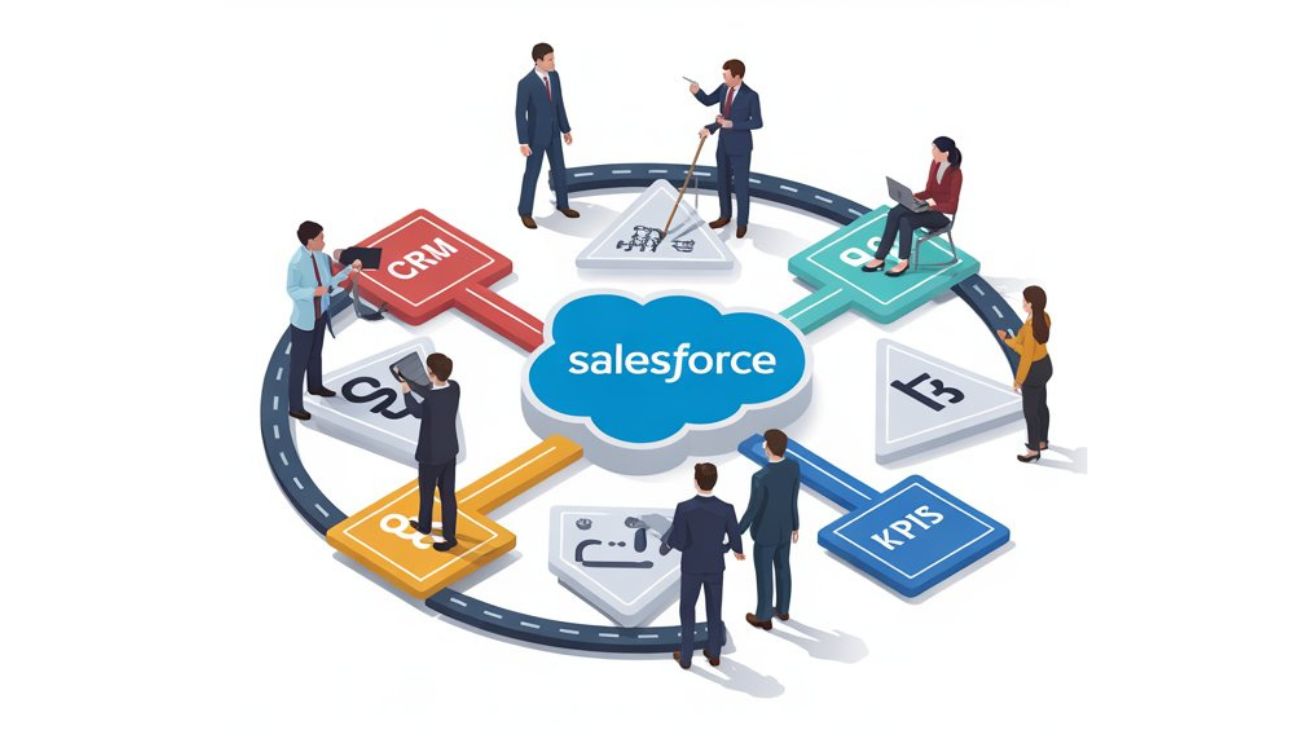
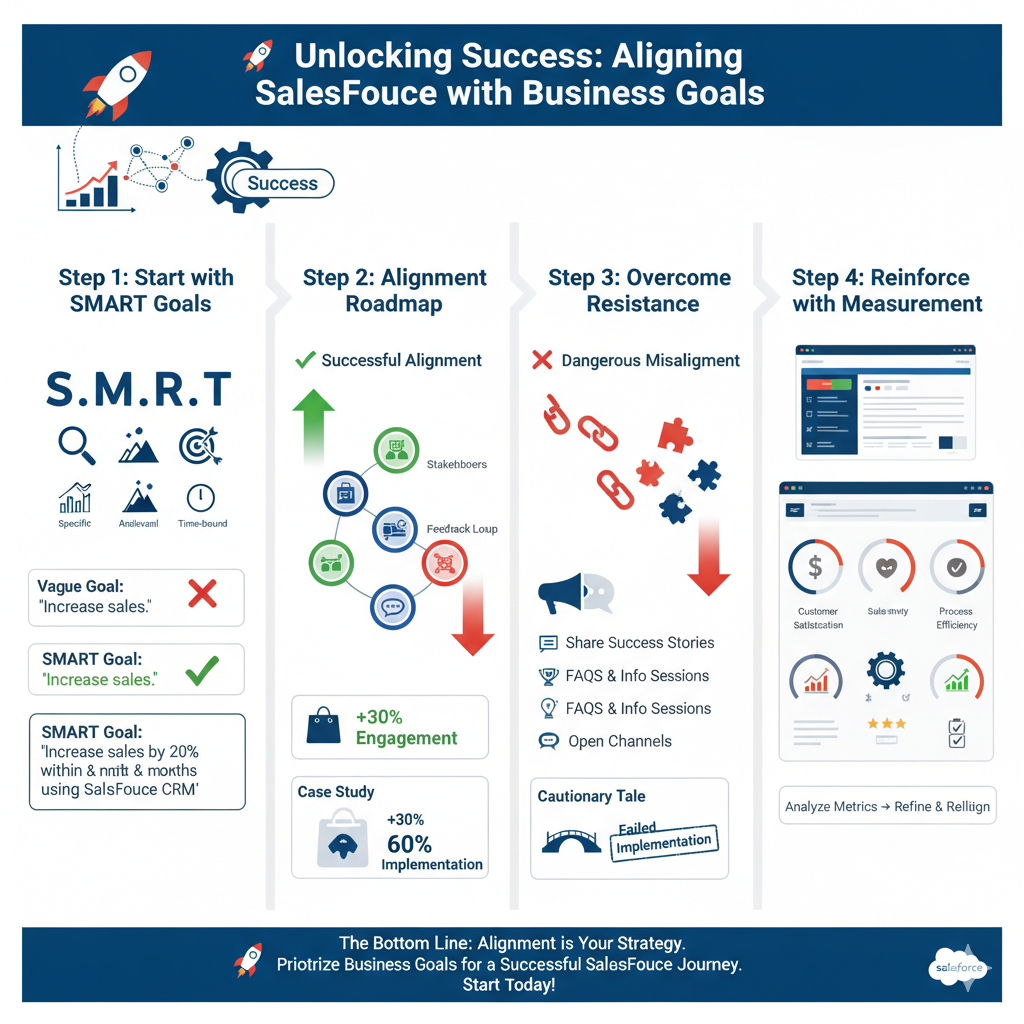
Infographics of Salesforce Implementation Roadmap

When we talk about business objectives, we refer to the specific, measurable goals that an organization aims to achieve. These are the cornerstones of any strategy, guiding daily operations and long-term planning.

What makes clearly defined objectives so crucial? They serve as a foundation for all technology choices, ensuring that tools and platforms align with strategic goals.

Setting SMART goals is an effective method for defining objectives. SMART stands for:

– Specific: Clear and specific enough for everyone to understand what is expected.

– Measurable: Criteria to track progress toward the goal.

– Achievable: Realistic and attainable, ensuring that the objectives can be met with available resources.

– Relevant: Goals should align with broader business aims.

– Time-bound: Establishing a timeline creates urgency and accountability.

For instance, instead of a vague objective like “increase sales,” a SMART goal would be “increase sales by 20% within the next six months by leveraging Salesforce’s CRM capabilities.” This level of clarity not only aids in driving focus but also increases the likelihood of achieving your targets.

Aligning Salesforce with Business Goals

Once business objectives are defined, the next step is to align the Salesforce implementation roadmap with those goals. Salesforce offers a suite of features tailored to various organizational strategies, including sales, marketing, and customer service.

Effectively leveraging these features can significantly enhance operational efficiency and customer satisfaction.

To illustrate this, consider a retail organization that aims to improve its customer relationship management.

By utilizing Salesforce’s advanced analytics and customer personalization features, this organization can better understand customer preferences, leading to targeted marketing campaigns and improved sales tactics.

Case Study

In one notable case, a mid-sized retail brand adopted Salesforce to streamline its marketing efforts. By aligning their Salesforce implementation roadmap with a goal of enhancing brand engagement, they utilized Salesforce Marketing Cloud to create personalized email campaigns. As a result, they saw a 30% increase in customer engagement and a significant boost in sales within just three months.

The benefits of using Salesforce extend beyond sales alone. By aligning Salesforce with organizational mission and vision, teams can work cohesively toward common goals, resulting in a unified approach to business challenges. Ultimately, this alignment fosters a smarter use of human resources and technology investments.

Challenges of Misalignment

Salesforce Implementation Roadmap

Neglecting to consider business objectives during the Salesforce implementation process can lead to significant pitfalls. When people think that the tools alone will resolve issues, they overlook the importance of aligning those tools with organizational aims. The result? Resources are wasted, and implementations can fail altogether.

Let’s explore a counterargument: focusing too heavily on objectives could delay implementation. While it’s important to stay flexible, rushing without adequate planning often leads to chaos. Failing projects abound in the tech world, frequently because organizations did not take the time to ensure their technology choices aligned with their business goals.

Analysis of Failed Implementations

For example, a technology firm once invested heavily in Salesforce, believing it would enhance collaboration across departments. However, due to a lack of alignment with their goal for streamlined communication, the implementation became an afterthought. Instead of being utilized seamlessly, the platform created further division between teams.

In essence, without a clear connection between objectives and the technology you choose to employ, you risk a significant return on investment that could lead to an array of operational challenges.

Strategies for Effective Alignment

Achieving effective alignment between Salesforce and business objectives requires a step-by-step approach. Here’s a roadmap to guide the process:

  1. Involve Stakeholders Early: Engaging stakeholders from across departments can provide insights into varying needs and perspectives. Their involvement fosters a sense of ownership and commitment.

  2. Define Objectives Together: Instead of a top-down approach, have open discussions to define what success looks like for different teams. Collaboration can uncover new goals that might not have been considered otherwise.

  3. Create a Feedback Loop: Continuous evaluation is essential. Establish systems for gathering feedback throughout the implementation process, allowing for adjustments as necessary.

  4. Train and Educate: Knowledge gaps can lead to misalignment. Conduct training sessions to ensure that all users understand both the tech and how it relates to business objectives.

By proactively implementing these strategies, businesses can ensure a comprehensive alignment between their Salesforce implementation roadmap and overarching goals, ultimately leading to sustained success.

Overcoming Resistance to Change

Change can be difficult, especially when employees resist it because they don’t fully grasp the alignment process. This often stems from a fear of the unknown. But while some resistance is expected, it’s possible to shift perspectives by highlighting the long-term benefits that come with aligning Salesforce implementation with business goals.

Counterargument

Some argue that too much focus on objectives can complicate a straightforward implementation. However, a well-communicated vision ensures that everyone is on board. Establishing clarity around how Salesforce will enhance their workflows or customer interactions is crucial.

Strategies for Communication

To ease the transition:

  • Utilize FAQs and informational sessions that explain the benefits of Salesforce.

  • Share success stories from other companies that have implemented effective Salesforce strategies.

  • Create open channels for feedback and questions, allowing employees to voice concerns and feel heard.

By communicating clearly and effectively, stakeholders gain a better understanding, easing the general apprehension surrounding new implementations.

Reinforcement through Measurement

Measuring success is an essential part of ensuring that the Salesforce implementation roadmap supports business objectives. Key Performance Indicators (KPIs) tailored to organizational goals help to isolate what works and what doesn’t in terms of technology effectiveness.

Key areas of focus can include:

Sales Growth: Track how well Salesforce helps to achieve sales objectives.

Customer Satisfaction: Utilize Salesforce data to gauge satisfaction levels and areas for improvement.

Process Efficiency: Measure how well the system streamlines operations and reduces redundant tasks.

By regularly analyzing these metrics, organizations can extract actionable insights from Salesforce. This data-driven approach also allows for refined and re-aligned objectives if necessary, ensuring the implementation remains relevant to changing business landscapes.

Conclusion

Aligning your Salesforce implementation roadmap with your business objectives is crucial for achieving success. By taking the time to define clear objectives, engaging stakeholders in the process, and actively measuring results, organizations can maximize their resources and improve operational efficiency.

Remember, the focus on alignment isn’t just a box to check; it’s a vital part of your overarching strategy to ensure that your technological investments yield the best possible returns.

Prioritizing business goals when implementing Salesforce will pave the way for a more successful journey. So, as you think about your next steps, consider how closely your technology aligns with your vision. Are you ready to unleash the full potential of Salesforce for your organization? Start today!

Read moreThe Ultimate Guide to Choosing the Right Salesforce Consulting Companies (2025)

Posted on Leave a comment

The Ultimate Guide to Choosing the Right Salesforce Consulting Companies (2025)

woman is explaining about choosing right salesforce consulting companies

Choosing the right partner can transform your business, especially when it comes to utilizing complex platforms like Salesforce. With a myriad of options available, Salesforce consulting companies can help you navigate the complexities of the software tailored to your unique needs.

As Salesforce grows into an all-encompassing platform, articulating your business requirements becomes paramount. With expert guidance, you can unlock the full potential of Salesforce, benefiting from efficient processes, better customer engagement, and increased sales productivity.

This guide will help you understand what to look for when selecting a Salesforce consulting partner and how that decision is integral to your organization’s success.

Understanding Your Business Needs

Professional team is discussing about Salesforce Consulting Companies

Assessing Your Unique Requirements

Every business has its individual needs based on various factors, including industry type, size, and organizational goals. Before diving into the world of Salesforce consulting companies, take the time to thoroughly assess what your business truly requires. Here are essential points to consider:

Identify Key Objectives: What are you hoping to achieve with Salesforce? This may involve increasing sales, enhancing customer relationships, or streamlining operations.

Consider Industry Standards: Different industries have unique operational requirements. For instance, a retail business may focus on inventory management, while a healthcare business might prioritize patient data management.

Evaluate Current Operations: Are there specific areas within your current processes that need improvement? This could be anything from integrating systems to enhancing customer experiences.

Budget Analysis: Understanding how much you can invest will limit your searches to those Salesforce consulting companies that align with your budget, ensuring a more suitable match.

Assessing your business needs is the groundwork for identifying the right partner to implement Salesforce effectively. Once your objectives are clear, you can transition to evaluating potential partners.

Evaluating Potential Partners: Key Criteria

Experience and Expertise

Selecting a partner with the right level of experience is vital. Here’s why:

Industry Know-How: Partnering with a firm that has specific experience in your industry can lead to a more intuitive understanding of your challenges. For example, a finance-focused consulting group will know the regulatory landscape pertinent to your operations.

Technical Proficiency: Not just any company will do; it’s essential that your chosen partner has comprehensive knowledge of Salesforce products. Always check certifications like Salesforce Certified Consultant or Salesforce Certified Administrator.

Customer References and Case Studies

Before settling on a consulting partner, it’s prudent to review their past performance.

Client Success Stories: Look for case studies that highlight similar challenges faced by clients and how the consulting company resolved them. For instance, if they showcased a successful integration with a major retailer, it might give you confidence in their capabilities.

Ask for References: Don’t hesitate to contact previous clients. Ask pointed questions about their experiences such as communication, results, and overall satisfaction with the services provided.

Post-Implementation Support

A common oversight is thinking that the relationship ends with implementation. However, continuous support is crucial.

Ongoing Training: Make sure your consulting partner includes training sessions post-launch, ensuring your team can navigate the system confidently.

Maintenance and Support: Inquire about available support channels and response times for any issues that may arise after the system is live.

This framework for evaluating potential partners equips you to make an informed choice that aligns closely with your operational goals.

Interviewing Potential Partners: Questions to Ask

Once you’ve narrowed down potential Salesforce consulting companies, the interview process becomes essential. Here are important questions to ask:

What is your approach to project management? Understanding how they manage projects can give insight into their organization and reliability.

Can you define your communication style? Clarifying how often they communicate and in what format will help gauge if they will meet your expectations.

How do you ensure a cultural fit? Consulting is a partnership. Confirming that your values align will foster a healthier working relationship.

What are your post-launch support options? Their response can indicate their commitment to your long-term success.

Incorporating these questions can illuminate aspects of the consulting company that align with your needs, clarifying the kind of partner they will be in your journey.

Common Pitfalls in Choosing a Salesforce Consulting Partner

Selecting a partner isn’t free from challenges. Here are common mistakes businesses often make:

Rushing the Decision: The excitement of launching Salesforce may lead to hasty decisions without thorough evaluation.

Ignoring Fit: Selecting a partner based solely on prices or superficial qualifications rather than core values or expertise can create friction later on.

Overlooking Post-Implementation: Failing to prioritize ongoing support can lead to frustrations down the road, impacting user adoption and overall success.

Awareness of these pitfalls can steer businesses toward making smarter, more informed decisions when choosing their Salesforce consulting companies.

Counterarguments and Criticisms

Despite the significant potential benefits of partnering with Salesforce consulting companies, some businesses express skepticism.

– Cost Concerns: Many companies question the financial investment associated with hiring a consultancy. It’s essential to view this as an investment rather than a cost but understanding budget constraints remains crucial.

Dependency Issues: Critics argue that relying heavily on consultants may foster a lack of internal expertise within the company. To mitigate this, it’s vital to focus on knowledge transfer during the consulting process.

Acknowledging these criticisms can provide a more balanced perspective, reminding businesses to weigh the pros and cons carefully.

Reaffirming the Importance of a Good Consulting Partner

Despite potential pitfalls, securing a quality consulting partner can unlock incredible opportunities for your business.

Evidence of Success: Look at case studies from various industries that demonstrate growth and innovation stemming from effective partnerships with consulting firms.

Stronger Salesforce Utilization: A well-matched partner can increase adoption rates, optimize processes, and drive significant ROI by tailoring the Salesforce platform to your specific needs.

The bottom line is that a suitable consulting partner can be a game changer, positioning your organization for long-term success and transformational growth.

Conclusion

In conclusion, choosing the right Salesforce consulting companies will significantly influence your organization’s operational efficiency and success.

By understanding your business needs, evaluating potential partners carefully, and conducting thorough interviews, you set the stage for a fruitful partnership.

Remember, it’s not just about making a choice but making an informed decision that resonates with your objectives. Hence, be patient and take time to weigh all options and outcomes.

This will enable you to harness the full potential of your Salesforce implementation, driving your business toward success.

Now that you’ve gathered insights into selecting the right partner for Salesforce, it’s time to take action! Begin by assessing your organization’s needs and exploring suitable Salesforce consulting companies to translate your business objectives into reality.

Don’t rush—invest the time needed to choose wisely!

Read moreSalesforce Implementation ROI and Benefits: What Every Business Must Know (2025)

Posted on Leave a comment

Salesforce Implementation ROI and Benefits: What Every Business Must Know (2025)

team of professional explaining about salesforce implementation roi and its benefits

In today’s data-driven business environment, executives and decision-makers increasingly demand quantifiable evidence that technology investments will deliver meaningful returns.

When it comes to implementing Salesforce, the world’s leading Customer Relationship Management (CRM) platform, understanding and calculating the return on investment (ROI) is crucial for securing buy-in, setting realistic expectations, and measuring success.

This guide explores the various benefits of Salesforce implementation and provides a framework for calculating its ROI, helping organizations make informed decisions about their CRM investments.

Understanding the Value Proposition of Salesforce

Illustration showing Salesforce Implementation ROI and Benefits

Before diving into ROI calculations, it’s important to understand the fundamental value proposition that Salesforce offers to organizations across industries. Salesforce is not merely a contact management system but a comprehensive platform that can transform how businesses operate and engage with customers.

Salesforce’s cloud-based platform offers several inherent advantages that contribute to its ROI potential:

Scalability: The ability to grow with your business without significant additional infrastructure costs

Regular updates: Three automatic upgrades per year that deliver new features without disruption

Ecosystem: Access to thousands of pre-built applications through the AppExchange marketplace

Extensibility: The ability to customize and extend functionality through configuration and development

Integration: Robust API capabilities that enable connection with other business systems

Mobile access: Native mobile applications that enable productivity from anywhere

AI capabilities: Einstein artificial intelligence features that provide predictive insights and automation

These platform advantages create a foundation for both immediate and long-term value realization, which should be factored into any comprehensive ROI analysis.

Identifying the Benefits of Salesforce Implementation

A thorough ROI calculation begins with identifying all potential benefits that Salesforce can deliver to your organization. These benefits typically fall into several categories:

Revenue Enhancement

Salesforce can directly impact an organization’s top line through:

Increased sales productivity: Sales representatives spend more time selling and less time on administrative tasks

Improved lead conversion: Better lead management and nurturing processes increase conversion rates

Shorter sales cycles: Streamlined processes and better information access accelerate deal closure

Higher average deal sizes: Cross-selling and upselling opportunities are identified and pursued more effectively

Improved retention and expansion: Better customer insights lead to higher retention and account growth

These revenue enhancements often represent the most significant component of Salesforce implementation ROI, particularly for sales-focused implementations.

Cost Reduction

Beyond revenue growth, Salesforce can help organizations reduce costs through:

Reduced IT infrastructure costs: Cloud-based deployment eliminates the need for on-premises hardware and maintenance

Lower administrative overhead: Automation reduces the need for manual data entry and processing

Decreased customer acquisition costs: More efficient marketing and sales processes reduce the cost per new customer

Reduced customer service costs: Self-service options and more efficient case handling lower support expenses

Minimized integration costs: Standard APIs and pre-built connectors reduce the cost of system integration

Cost reductions provide a direct and often easily measurable contribution to ROI calculations.

Productivity Improvements

Salesforce drives significant productivity gains across departments:

Automated workflows: Routine tasks are automated, freeing staff for higher-value activities

Centralized information: Employees spend less time searching for information across disparate systems

Mobile access: Team members can work effectively from anywhere, anytime

Collaborative tools: Chatter and other collaboration features improve team communication

Streamlined approvals: Automated approval processes reduce bottlenecks and delays

Productivity improvements translate into either cost savings (same work done with fewer resources) or revenue enhancement (more work done with the same resources).

Strategic and Competitive Advantages

Some Salesforce benefits are less immediately quantifiable but no less valuable:

Enhanced customer experience: Consistent, personalized engagement across all touchpoints

Data-driven decision making: Real-time insights enable faster, better-informed decisions

Organizational agility: The ability to quickly adapt processes to changing market conditions

Innovation acceleration: Faster implementation of new ideas and business models

While these strategic benefits may be harder to quantify precisely, they often represent significant long-term value that should be acknowledged in ROI discussions.

Calculating Salesforce Implementation ROI

illustration Team discussing about Salesforce Implementation ROI

With a comprehensive understanding of potential benefits, organizations can develop a structured approach to calculating Salesforce ROI. This typically involves the following steps:

Step 1: Define the Investment Costs

Begin by identifying all costs associated with your Salesforce implementation:

Initial Implementation Costs

Salesforce licenses: The cost of user licenses for your chosen Salesforce editions

Implementation services: Fees paid to implementation partners or consultants

Data migration: Costs associated with cleaning, transforming, and migrating data

Integration: Expenses for connecting Salesforce with other systems

Customization: Costs for tailoring Salesforce to your specific requirements

Training: Expenses for user and administrator training

Change management: Costs associated with managing organizational change

Ongoing Costs

License renewals: Annual or multi-year license fees

Administrative resources: Salaries or time allocations for Salesforce administrators

Ongoing support: Managed services or internal support costs

Continuous improvement: Budget for enhancements and optimizations

Additional storage: Costs for exceeding standard storage allocations

Third-party applications: Subscription fees for AppExchange applications

Be thorough in identifying all costs to ensure an accurate ROI calculation.

Step 2: Quantify the Benefits

Next, estimate the financial impact of the benefits identified earlier:

Revenue Enhancement Quantification

Increased sales productivity = (Number of sales reps) × (Average productivity increase %) × (Average revenue per rep)

Improved lead conversion = (Additional leads converted) × (Average deal value)

Shorter sales cycles = (Reduction in sales cycle) × (Value of time acceleration) × (Number of deals)

Higher average deal sizes = (Increase in average deal size %) × (Current average deal size) × (Number of deals)

Improved retention = (Reduction in churn %) × (Average customer lifetime value) × (Customer base)

Cost Reduction Quantification

IT infrastructure savings = Direct comparison of previous infrastructure costs vs. Salesforce subscription costs

Administrative efficiency = (Time saved on administrative tasks) × (Fully loaded hourly cost of personnel)

Marketing efficiency = (Reduction in cost per lead %) × (Number of leads) × (Current cost per lead)

Customer service savings = (Reduction in case handling time) × (Number of cases) × (Cost per hour of service)

Productivity Improvement Quantification

Time savings = (Hours saved per user per week) × (Number of users) × (Weeks per year) × (Fully loaded hourly cost)

Process acceleration = (Reduction in process completion time) × (Number of processes) × (Value of time saved)

Reporting efficiency = (Hours saved on report generation) × (Reports per month) × (Months) × (Hourly cost)

For strategic benefits that are harder to quantify directly, consider using proxy metrics or conservative estimates based on industry benchmarks or pilot projects.

Step 3: Calculate ROI Metrics

With costs and benefits quantified, calculate standard ROI metrics:

Basic ROI Formula

ROI = (Net Benefits / Total Investment) × 100%

Where Net Benefits = Total Benefits – Total Investment

Net Present Value (NPV)

NPV = Initial Investment + Σ (Net Cash Flow_t / (1 + r)^t)

Where:

  • t = time period

  • r = discount rate

  • Net Cash Flow = Benefits – Costs for each period

Payback Period

Payback Period = Initial Investment / Annual Net Benefits

This indicates how quickly the investment will be recouped.

Step 4: Develop a Comprehensive ROI Calculator

To make these calculations accessible and adjustable, many organizations develop a Salesforce ROI calculator — typically a spreadsheet or web-based tool that allows for:

– Input of organization-specific variables

– Adjustment of assumptions and scenarios

– Visualization of results over time

– Comparison of different implementation options

– Sensitivity analysis to identify critical factors

A well-designed ROI calculator becomes not just a one-time analysis tool but an ongoing resource for tracking actual returns against projections and making data-driven decisions about future Salesforce investments.

Real-World Examples of Salesforce ROI

While theoretical calculations are valuable, real-world examples provide tangible evidence of Salesforce’s potential return on investment. Here are several case studies across different industries:

Manufacturing Company: Streamlined Sales Operations

A mid-sized manufacturing company implemented Salesforce Sales Cloud and experienced:

– 35% increase in sales productivity

– 25% reduction in sales cycle length

– 15% improvement in forecast accuracy

– 20% increase in average deal size

These benefits resulted in a 285% ROI over three years, with a payback period of just 7 months.

Read moreSalesforce CPQ Implementation for Manufacturing Companies- Ultimate Guide (2025)

Financial Services Firm: Enhanced Client Relationships

A wealth management firm implemented Salesforce Financial Services Cloud and achieved:

– 40% reduction in client onboarding time

– 30% increase in assets under management

– 25% improvement in client retention

The firm realized a 320% ROI over four years, with initial investment recouped within the first year.

Factors Influencing Salesforce ROI

Several factors can significantly impact the ROI of a Salesforce implementation:

User Adoption

Perhaps the single most significant factor affecting Salesforce ROI is user adoption. Even the most sophisticated implementation will fail to deliver value if users don’t embrace the system. Key adoption factors include:

Executive sponsorship: Visible support from leadership

Intuitive user experience: Customization that aligns with users’ workflows

Comprehensive training: Role-based training that focuses on value, not just features

Clear expectations: Well-defined usage requirements and metrics

Incentives and recognition: Rewards for effective system use

Organizations that invest in adoption strategies typically see significantly higher returns on their Salesforce investments.

Data Quality

The value of any CRM system is directly tied to the quality of its data. Organizations that invest in data cleansing before migration, robust data governance processes, and regular data quality audits typically see higher ROI due to more accurate reporting, better insights, and increased user trust in the system.

Building a Business Case for Salesforce Implementation

A robust ROI analysis forms the cornerstone of a compelling business case for Salesforce implementation. A well-structured business case should include:

Executive Summary: A concise overview of the value proposition

Current State Analysis: Documentation of inefficiencies and costs of the status quo

Proposed Solution: Description of the recommended Salesforce implementation

Comprehensive ROI Analysis: Detailed cost-benefit analysis with key metrics

Risk Assessment: Identification of potential risks and mitigation strategies

Implementation Roadmap: Clear path forward with milestones and resource requirements

This transparent approach builds credibility and demonstrates thorough planning.

Conclusion: Maximizing Your Salesforce ROI

Calculating and maximizing the ROI of your Salesforce implementation is not a one-time exercise but an ongoing process that spans the entire lifecycle of your CRM initiative.

By thoroughly identifying potential benefits, accurately estimating costs, calculating comprehensive ROI metrics, and addressing the factors that influence returns, organizations can make informed decisions about their Salesforce investments and ensure they deliver maximum value.

As a specialized Salesforce implementation partner, Pletratech brings deep expertise in not only implementing the technical aspects of Salesforce but also in helping organizations maximize their return on investment. Our comprehensive approach includes ROI analysis, strategic planning, user adoption strategies, and ongoing optimization to ensure that your Salesforce implementation delivers sustainable business value.

Read relatedThe Hidden Costs of Salesforce Implementation: How to Avoid Budget Overruns [2025]